Educational email designs from top data brands
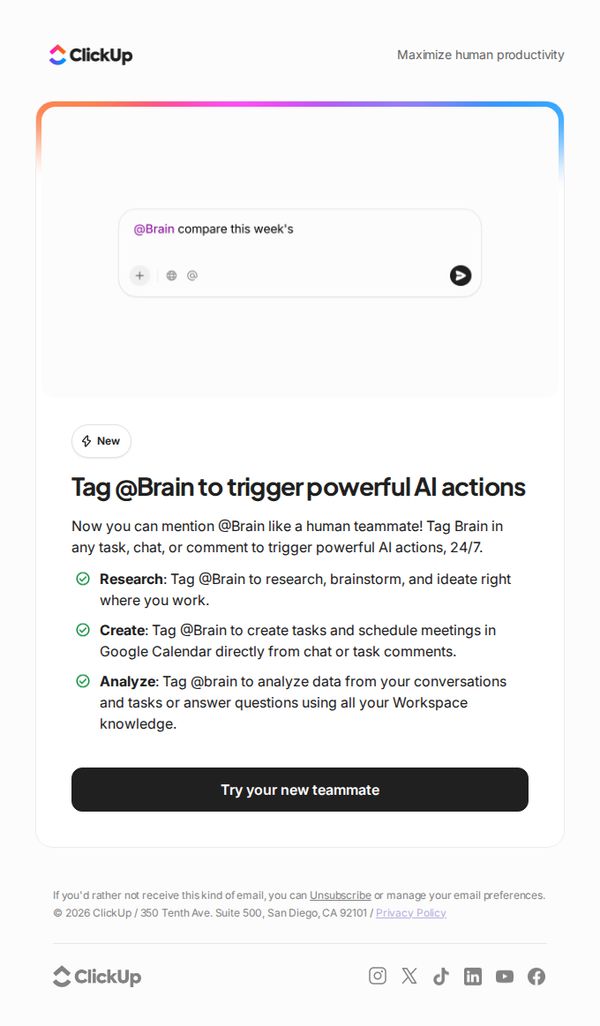

1. ClickUp : Meet your new teammate: Introducing @Brain Agent
Objective
To introduce ClickUp’s new AI teammate, @Brain Agent, and encourage users to start using it by highlighting its 24/7 availability and core capabilities in research, task creation, and data analysis directly within their workflow.
Why this works
Positioning the AI as a 'teammate' rather than a tool creates emotional resonance and lowers adoption friction by implying collaboration, not automation, making users feel supported rather than replaced.
How to implement
Using a conversational command format like '@Brain compare this week’s' visually demonstrates real-world usage, helping users instantly grasp how to integrate the feature into their existing workflows without needing training.
Pro Tip
Add a short video or animated GIF showing @Brain in action within a real ClickUp workspace to visually reinforce the 'tag like a teammate' concept and reduce cognitive load for new users. • Include a testimonial or usage stat from an early adopter (e.g., 'Teams using @Brain save 3 hours/week') to build social proof and urgency around trying the feature.
2. Nutanix: This Month in Cloud: Key Trends & Solutions
Objective
This email aims to position Nutanix as a thought leader in cloud innovation by highlighting industry trends, upcoming events, and strategic solutions while driving engagement through educational content and event registration. It also seeks to nurture leads by offering certifications and expert connections.
Why this works
The email strategically opens with a high-impact event announcement to immediately capture attention and anchor the brand’s authority in forward-looking cloud innovation, making it feel timely and urgent without being salesy.
How to implement
By blending industry predictions, real-world case studies like Seattle’s infrastructure overhaul, and public sector guidance, the email builds credibility through diverse proof points that appeal to both technical and strategic decision-makers across industries.
Pro Tip
Add a visual hierarchy or numbered priority to the content blocks, such as 'Top 3 Trends This Month', to help readers quickly identify what matters most and reduce cognitive load in a dense, text-heavy layout. • Place the 'Register Now' CTA in a sticky banner or repeat it after the first two content blocks to increase conversion chances for readers who scroll past the hero section without taking action.
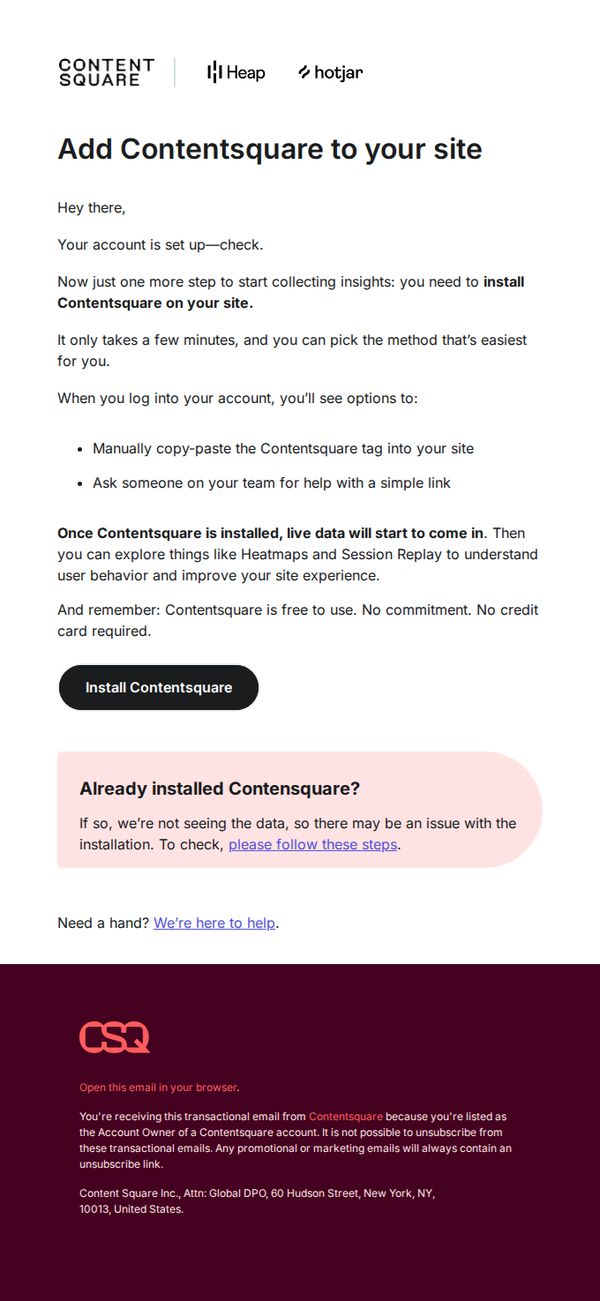
3. Contentsquare : Your account is ready. Here's how to start getting insights.
Objective
This email aims to guide newly onboarded users through the final step of installing Contentsquare on their site to begin collecting behavioral insights, while reassuring them of the tool’s ease of use and zero financial commitment.
Why this works
The email brilliantly reduces friction by offering two simple, non-technical installation paths, manual tag insertion or team assistance, making the onboarding feel accessible even to non-developers.
How to implement
By emphasizing that Contentsquare is free to use with no credit card required, the email removes psychological barriers to activation and positions the tool as low-risk and high-value from day one.
Pro Tip
Add a visual step-by-step graphic or GIF next to the installation options to reduce cognitive load and increase conversion by showing rather than telling how easy the setup is. • Include a short, bold testimonial or stat (e.g., '92% of users see insights within 15 minutes') right above the CTA to reinforce urgency and social proof without adding clutter.
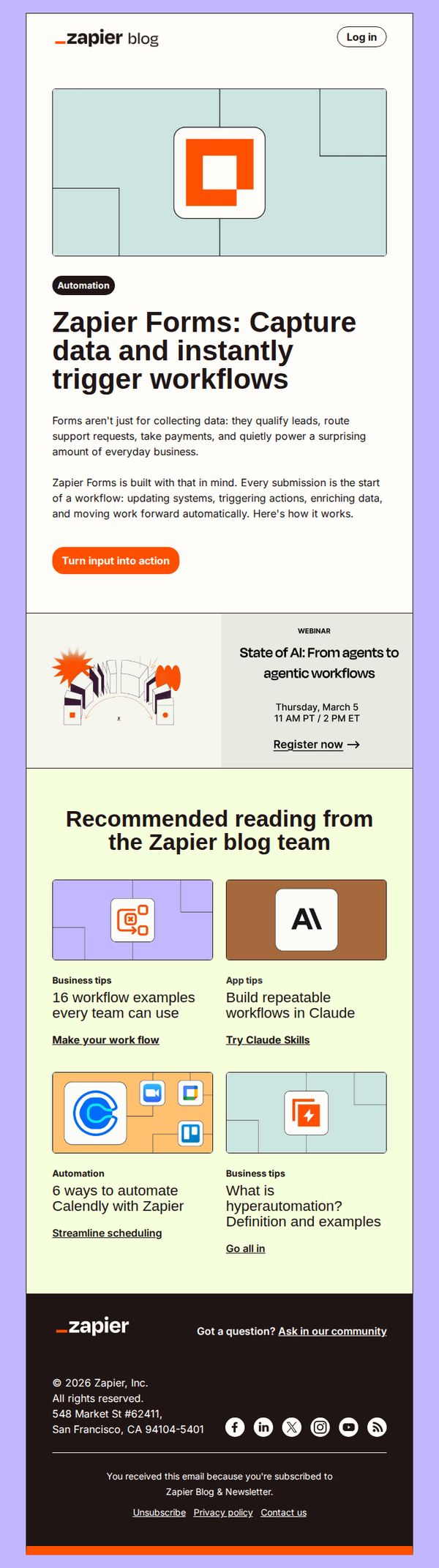
4. Zapier : Turn input into action
Objective
This email aims to introduce and promote Zapier Forms as a tool that transforms user input into automated workflows, encouraging readers to explore its business applications and take immediate action by clicking the primary CTA.
Why this works
Zapier positions forms not as passive data collectors but as dynamic workflow starters, a clever reframing that elevates their perceived value and aligns them with automation-driven business outcomes.
How to implement
The email uses a clean, benefit-forward headline paired with a concise explanation of real-world use cases, helping readers instantly visualize how Zapier Forms can solve tangible business problems like routing requests or updating systems.
Pro Tip
Add a subtle countdown timer or urgency indicator near the webinar CTA to increase registration rates by leveraging time-sensitive motivation without disrupting the clean layout. • Include a short testimonial or customer stat under the hero section to build social proof early, this would strengthen credibility and reduce friction before the reader reaches the CTA.
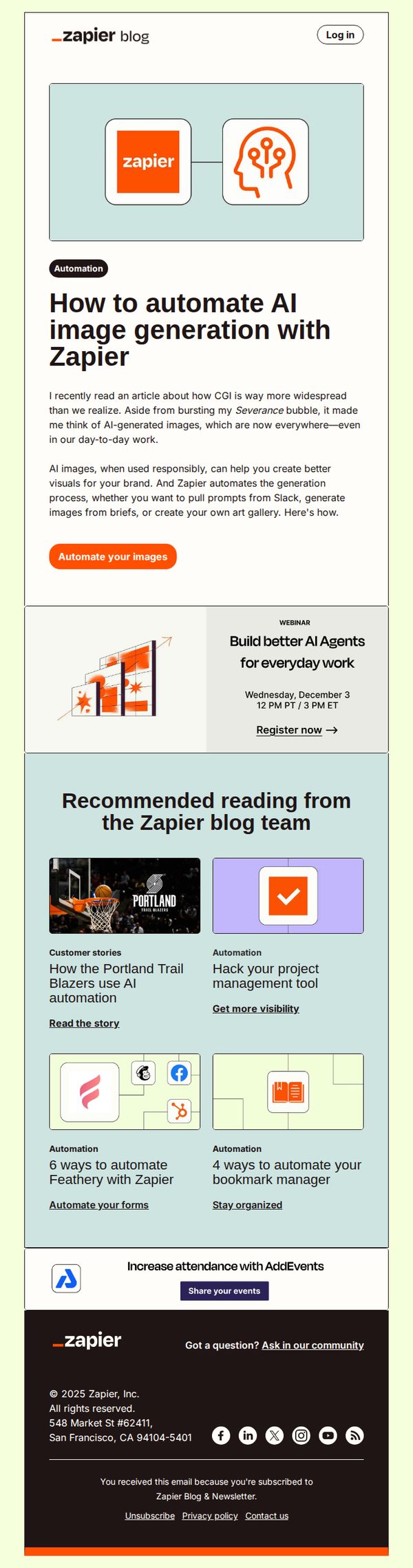
5. Zapier : Automate AI image generation
Objective
This email aims to educate subscribers on automating AI image generation using Zapier, while encouraging immediate action through a clear CTA. It also promotes related content and events to deepen engagement with Zapier’s automation ecosystem.
Why this works
The email opens with a relatable, conversational hook that ties AI image generation to real-world brand needs, making automation feel immediately relevant rather than abstract or technical.
How to implement
By positioning Zapier as the bridge between creative tools and workflow systems, the email frames automation not as a tech upgrade but as a strategic brand enabler for visual consistency and efficiency.
Pro Tip
The primary CTA 'Automate your images' is strong but could be more benefit-driven, consider rephrasing to 'Generate branded AI images in seconds, no design skills needed' to emphasize speed and accessibility. • The webinar section feels visually disconnected from the main content; integrating it with a subtle border or icon alignment would improve visual flow and increase registration clicks by reinforcing its relevance to AI automation.
6. Sprout Social: Lead 2026 with a social intelligence mindset
Objective
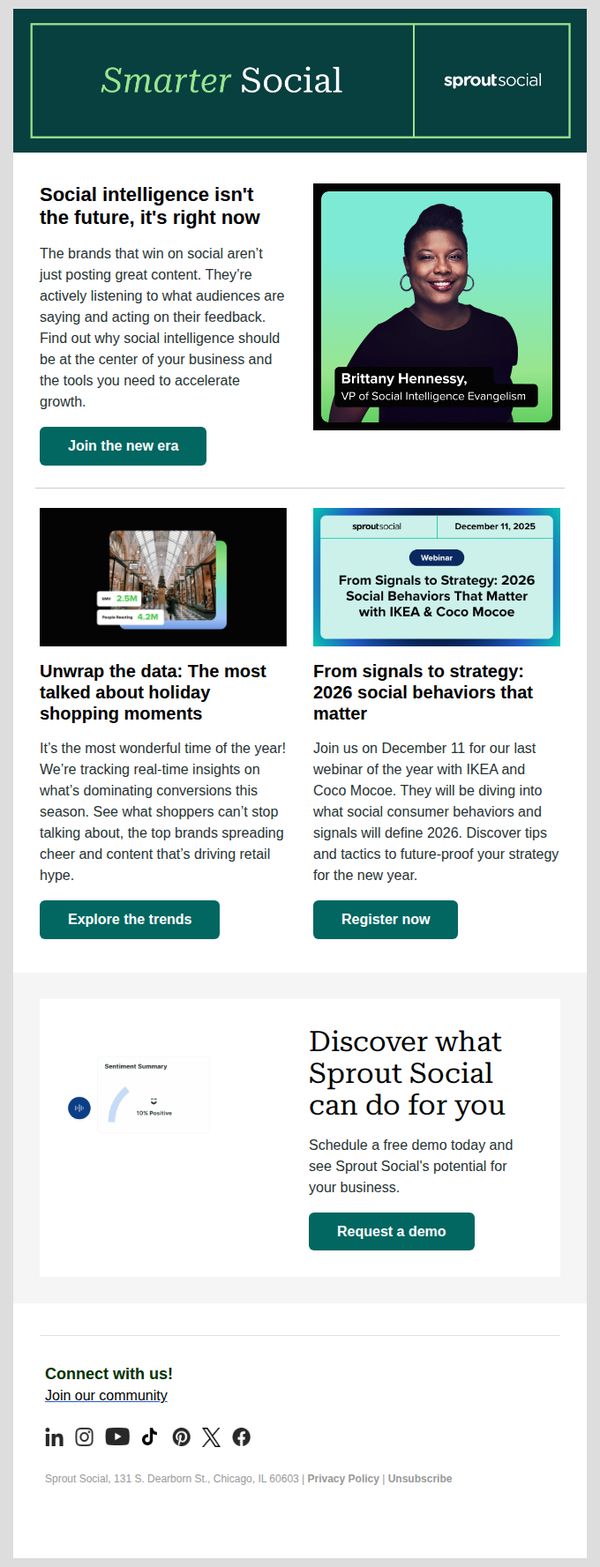
This email aims to position Sprout Social as a forward-thinking leader in social intelligence by encouraging marketers to adopt data-driven strategies for 2026, while driving engagement through educational content and demo requests.
Why this works
Sprout Social brilliantly frames social intelligence not as a trend but as an urgent operational imperative, positioning their platform as essential for brands that want to lead rather than follow in the evolving digital landscape.
How to implement
By featuring a high-impact executive voice, Brittany Hennessy, they add credibility and authority to the message, making the case for social intelligence feel both strategic and personally endorsed by industry leadership.
Pro Tip
Add a subtle countdown timer next to the December 11 webinar CTA to create urgency and highlight the limited window for registration, increasing conversion likelihood among time-sensitive decision-makers. • Include a short customer testimonial or stat (e.g., '87% of teams using Sprout’s intelligence tools saw faster campaign iteration') near the demo request button to reinforce social proof and reduce perceived risk for prospects.
7. Notion: Let your notes do more than sit in a doc
Objective
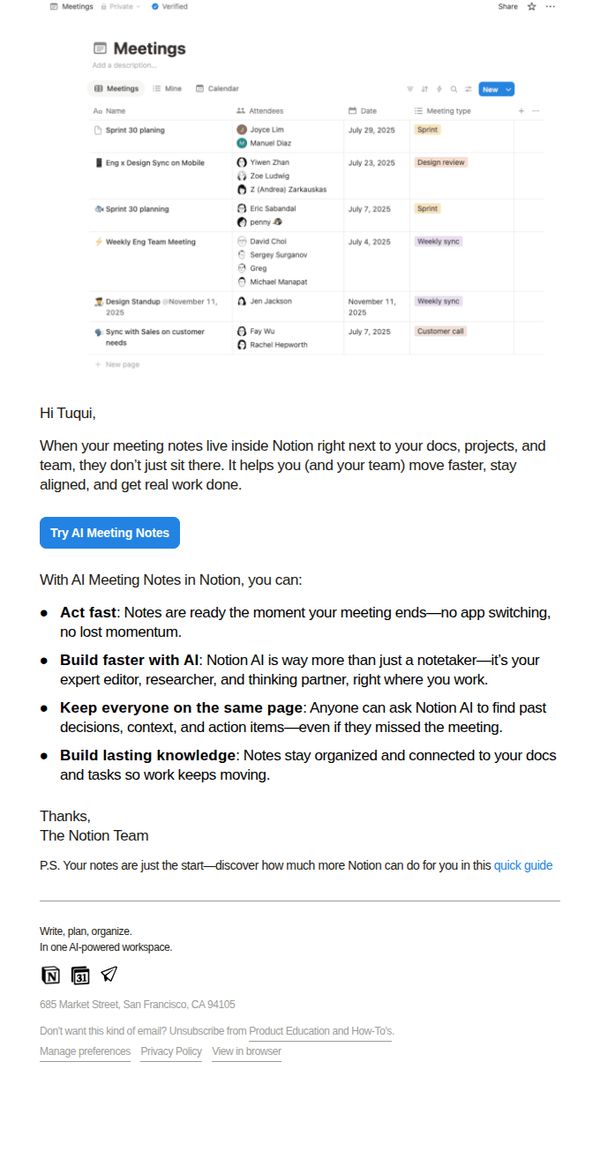
To encourage users to adopt Notion’s AI Meeting Notes feature by showing how it transforms passive note-taking into active, collaborative work that accelerates team productivity and preserves institutional knowledge.
Why this works
Notion positions AI Meeting Notes not as a convenience tool but as a productivity multiplier that eliminates context switching and keeps momentum alive right after meetings end, which reframes the feature as mission-critical rather than optional.
How to implement
The email leverages the psychological trigger of shared accountability by emphasizing how AI Meeting Notes keep everyone on the same page, even those who missed the meeting, turning note-taking into a team alignment engine rather than a personal task.
Pro Tip
Add a short embedded video or animated GIF showing AI Meeting Notes auto-generating action items and summaries in real time, this would visually demonstrate the ‘act fast’ benefit and reduce cognitive load for users evaluating the feature. • Include a testimonial or social proof snippet from a recognizable company or team that saw measurable time savings or alignment improvements after adopting AI Meeting Notes, this would strengthen credibility and reduce perceived risk for hesitant users.
8. Semrush: If you’re not in the answer, you don’t exist.
Objective
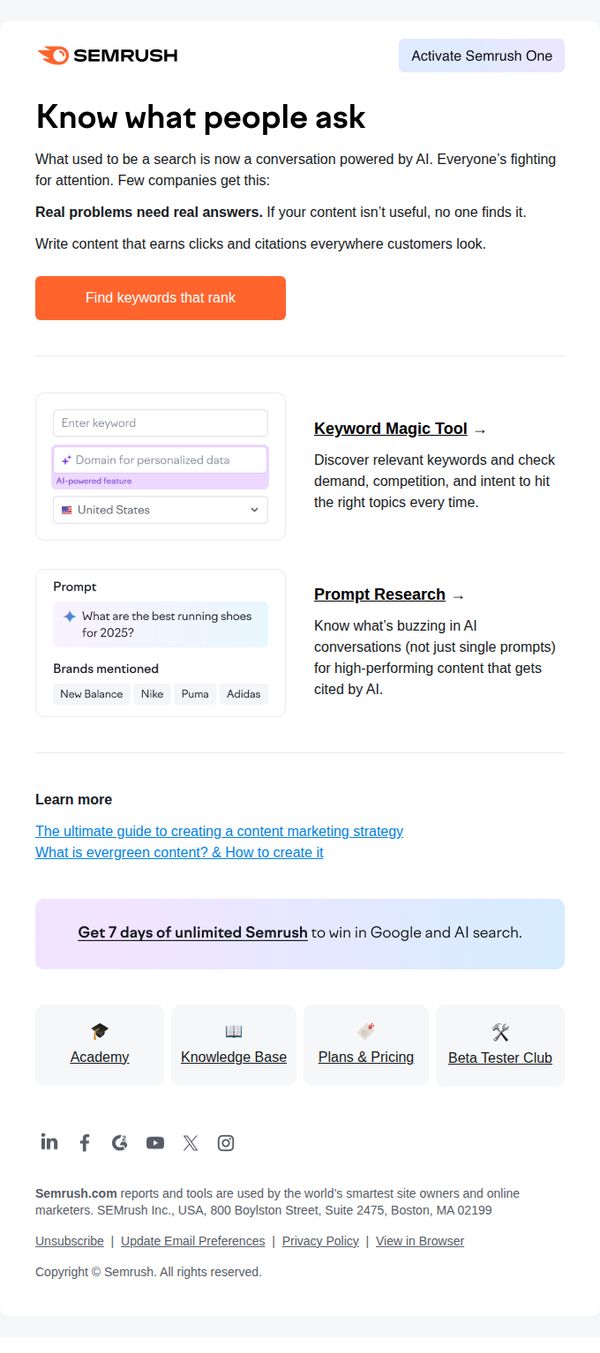
This email aims to position Semrush as an essential tool for creating AI-optimized, high-ranking content by highlighting its keyword and prompt research capabilities, ultimately driving sign-ups through a time-limited free trial offer.
Why this works
By framing search as a conversation powered by AI, the email taps into marketers’ fear of irrelevance, positioning Semrush not just as a tool, but as a survival mechanism in the evolving digital landscape.
How to implement
The seamless integration of real-time examples like 'What are the best running shoes for 2025?' makes abstract features tangible, helping users instantly visualize how Semrush solves their content discovery challenges with AI-driven precision.
Pro Tip
Add a subtle countdown timer next to the 7-day trial CTA to increase perceived scarcity and nudge immediate action without disrupting the clean layout or overwhelming the user. • Include a short customer testimonial or stat (e.g., '87% of users saw higher rankings within 30 days') near the Hero Section to reinforce credibility and reduce friction for hesitant prospects.
9. Zapier : What you should automate
Objective
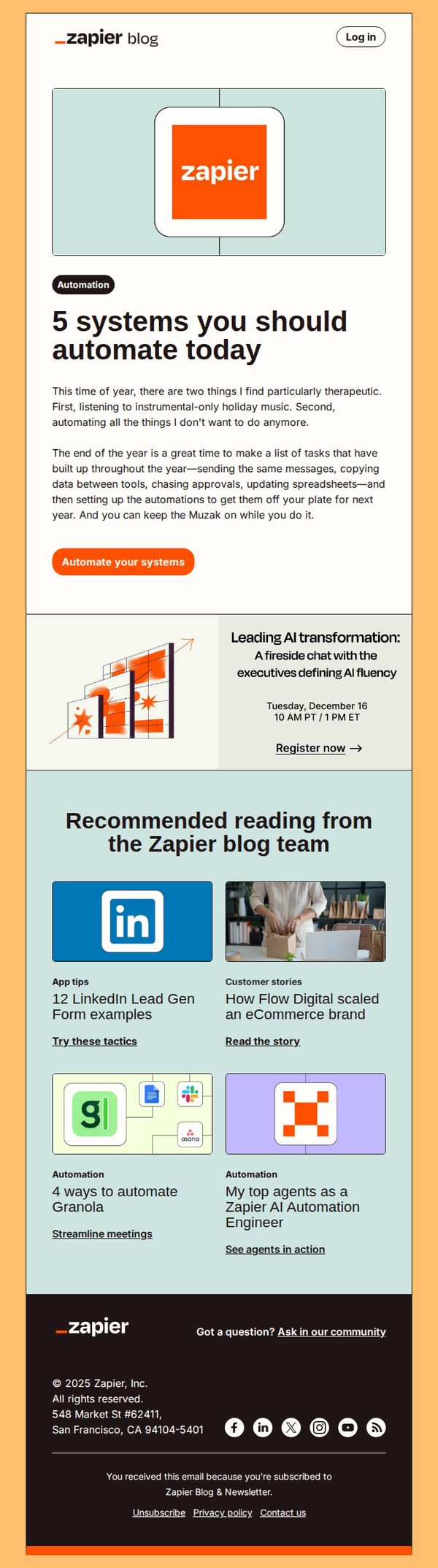
This email aims to inspire readers to automate repetitive tasks by highlighting five key systems they should prioritize, while subtly promoting Zapier’s automation capabilities through educational content and a clear call to action.
Why this works
The email opens with a relatable, emotionally resonant hook, holiday music and task fatigue, that immediately positions automation as a therapeutic solution, making the technical topic feel personal and urgent.
How to implement
By framing automation as a year-end ritual rather than a technical upgrade, the email taps into seasonal motivation cycles, encouraging readers to treat workflow optimization like a self-care ritual they’ll thank themselves for later.
Pro Tip
Add a visual progress bar or checklist next to the '5 systems' headline to create a sense of momentum and completion, encouraging readers to mentally commit to automating at least one item immediately. • Reposition the 'Register now' event CTA to appear after the main automation CTA, so it doesn’t compete for attention, this preserves the primary goal of driving automation sign-ups while still promoting the event as a secondary benefit.
10. Semrush: Is your site built to be seen?
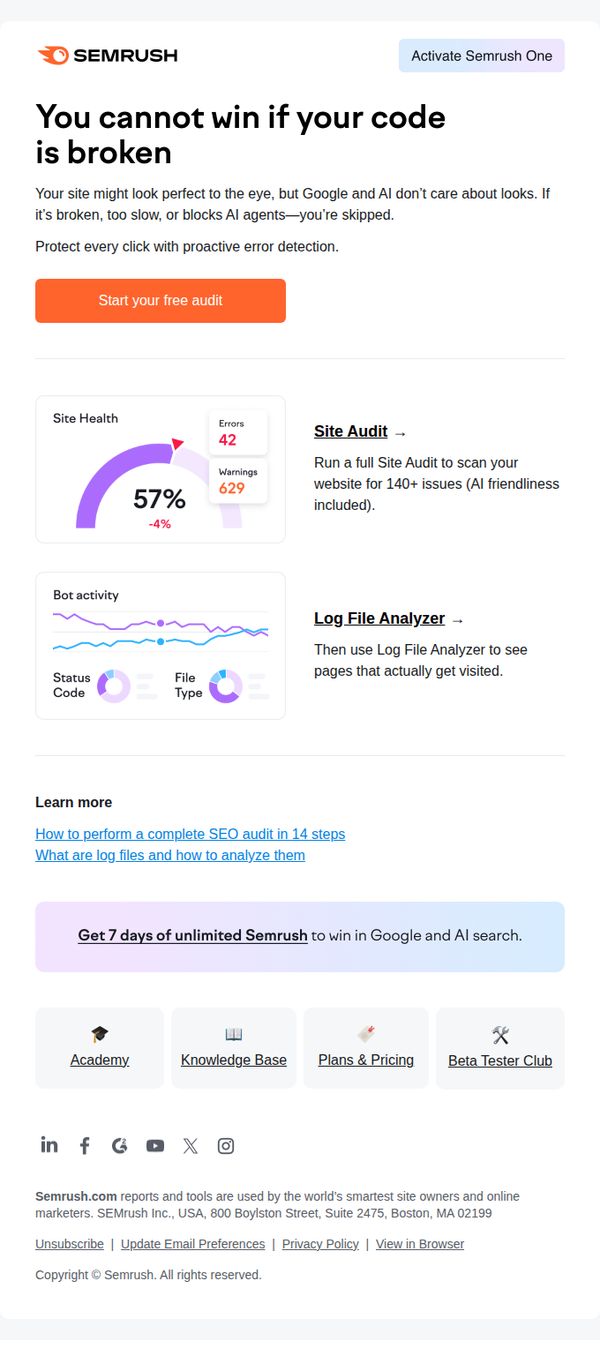
Objective
The email aims to drive immediate action by convincing site owners that technical SEO issues are invisible but critical barriers to visibility, prompting them to start a free audit before losing traffic to competitors. It positions Semrush as the essential tool to diagnose and fix these hidden problems.
Why this works
The email opens with a bold, confrontational headline that immediately reframes the reader’s perception of website quality, it’s not about looks, but about whether Google and AI can even see or index the site, which creates urgency and relevance for technical marketers.
How to implement
By pairing a visual health score with specific error counts and a downward trend, the email transforms abstract SEO concerns into tangible, measurable problems that demand immediate attention, making the audit feel less like a suggestion and more like a diagnostic necessity.
Pro Tip
Add a countdown timer or urgency indicator next to the 'Start your free audit' CTA to reinforce the time-sensitive nature of technical SEO fixes and reduce hesitation in clicking. • Include a short testimonial or case study snippet near the Site Audit section showing how a real user recovered traffic or rankings after fixing errors, to build social proof and reduce perceived risk.