Educational campaign ideas that work from Zapier
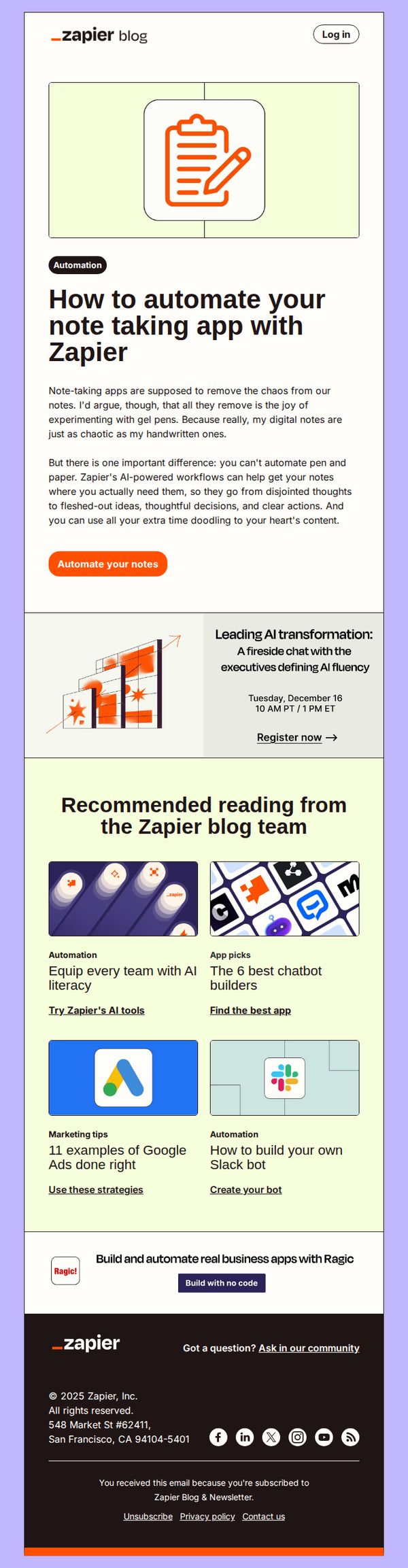
1. Automate your notes
Objective
This email aims to inspire users to streamline their note-taking process by leveraging Zapier’s automation tools, positioning the platform as a solution to transform scattered thoughts into actionable, organized content. It also promotes engagement with Zapier’s broader educational content and community.
Why this works
The email brilliantly reframes note-taking from a chaotic chore into a strategic opportunity by positioning Zapier as the bridge between messy ideas and polished outcomes, making automation feel essential rather than optional.
How to implement
By embedding a high-value educational event and curated blog content, the email transforms a simple product tip into a gateway for deeper engagement, subtly guiding users toward becoming more invested Zapier advocates.
Pro Tip
Add a brief testimonial or user result near the CTA to reinforce social proof, e.g., 'Join 50,000+ users who automated their notes and saved 10+ hours/month', to increase conversion confidence. • Include a micro-copy line under the CTA like 'No coding required' or 'Set up in under 5 minutes' to reduce perceived friction and clarify the ease of automation for hesitant users.
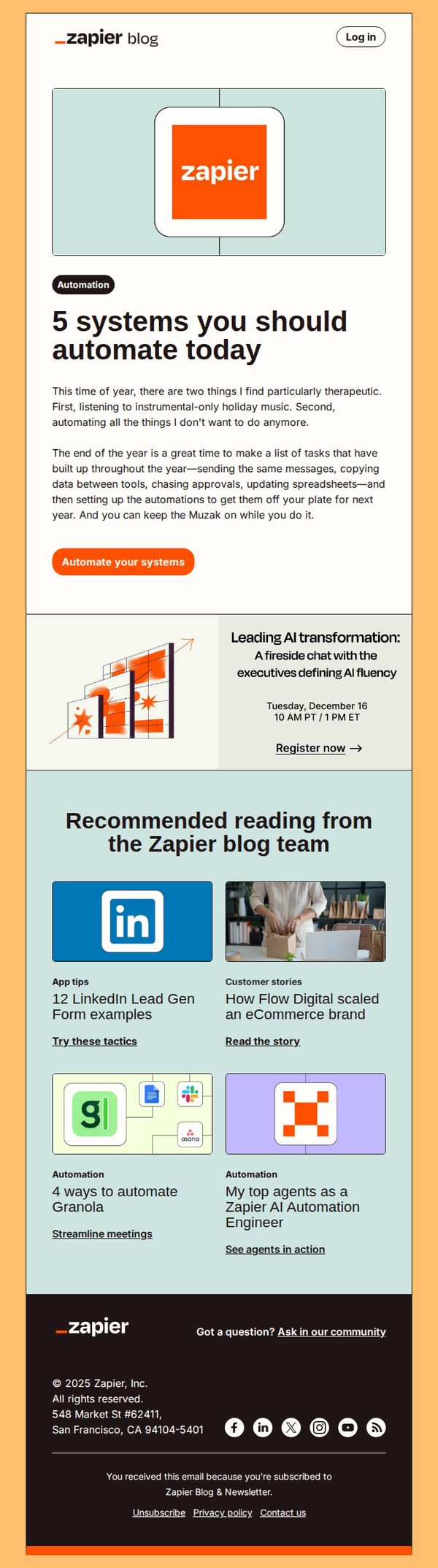
2. What you should automate
Objective
This email aims to inspire readers to automate repetitive tasks by highlighting five key systems they should prioritize, while subtly promoting Zapier’s automation capabilities through educational content and a clear call to action.
Why this works
The email opens with a relatable, emotionally resonant hook, holiday music and task fatigue, that immediately positions automation as a therapeutic solution, making the technical topic feel personal and urgent.
How to implement
By framing automation as a year-end ritual rather than a technical upgrade, the email taps into seasonal motivation cycles, encouraging readers to treat workflow optimization like a self-care ritual they’ll thank themselves for later.
Pro Tip
Add a visual progress bar or checklist next to the '5 systems' headline to create a sense of momentum and completion, encouraging readers to mentally commit to automating at least one item immediately. • Reposition the 'Register now' event CTA to appear after the main automation CTA, so it doesn’t compete for attention, this preserves the primary goal of driving automation sign-ups while still promoting the event as a secondary benefit.
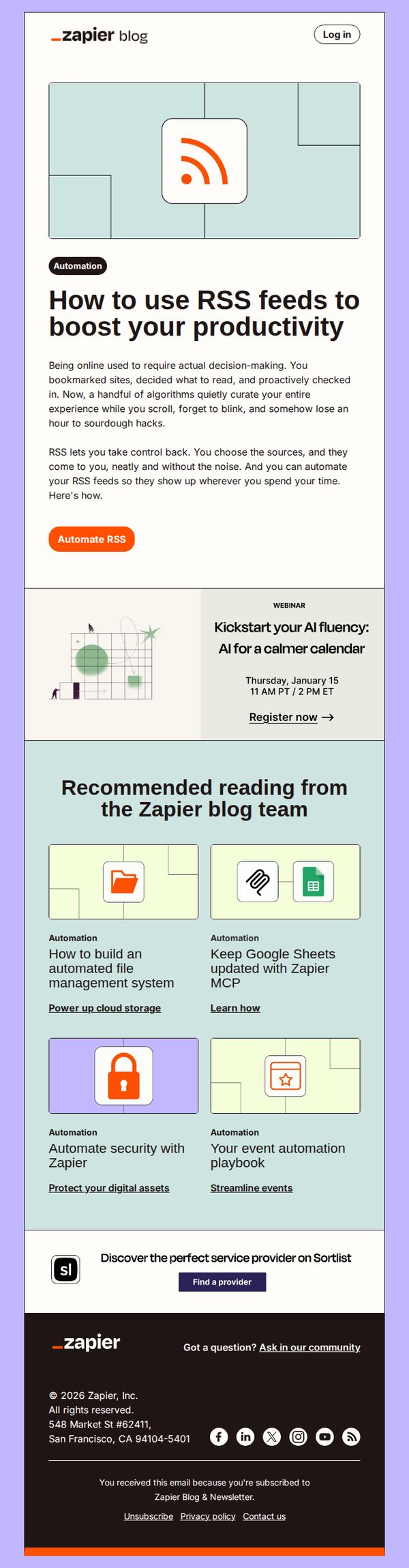
3. RSS isn't dead
Objective
This email aims to reframe RSS as a powerful productivity tool by showing how Zapier can automate it, encouraging readers to reclaim control over their digital intake while subtly promoting Zapier’s automation capabilities.
Why this works
The email brilliantly reframes RSS not as outdated tech but as a strategic tool for reclaiming focus, positioning automation as the bridge between old-school efficiency and modern digital overload, which resonates deeply with productivity-minded professionals.
How to implement
By leading with a relatable pain point, losing hours to mindless scrolling, the copy creates instant emotional alignment, then immediately offers Zapier as the elegant, automated solution, making the value proposition feel both urgent and effortless to adopt.
Pro Tip
The webinar CTA is visually underweighted, it should be given equal or greater prominence than the 'Automate RSS' button since it’s a high-intent conversion point; consider using a contrasting color or larger button to match its strategic value. • The footer’s Sortlist ad feels disconnected from the email’s core message; replacing it with a Zapier-specific automation template or use case (e.g., 'Get our free RSS-to-Notion automation') would better align with the campaign’s productivity theme and drive product engagement.
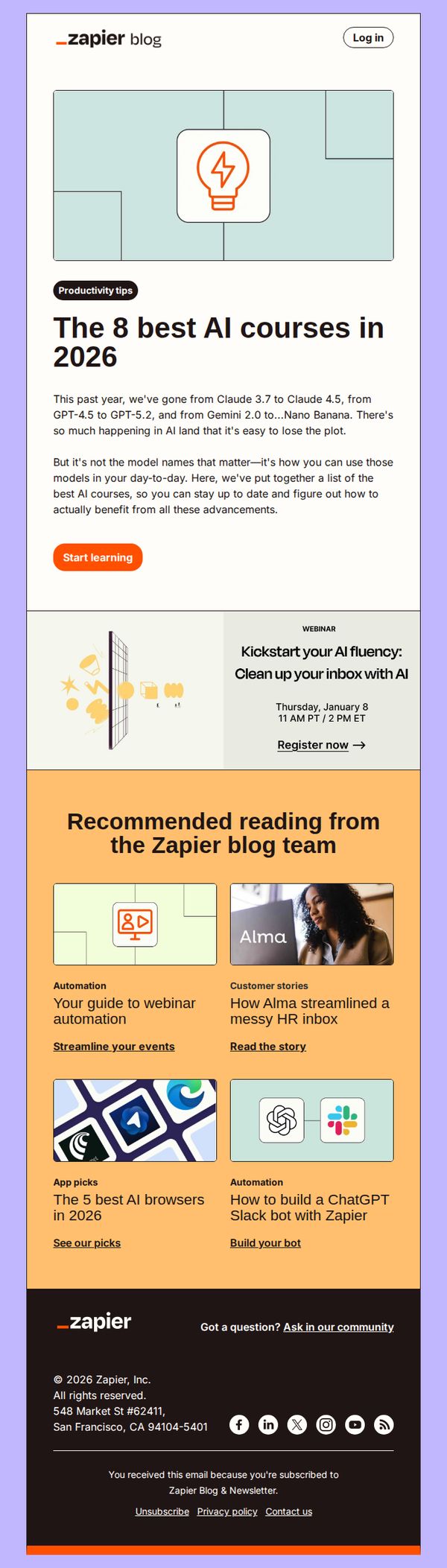
4. The best AI courses
Objective
To position Zapier as a trusted guide in the rapidly evolving AI landscape by curating and promoting the most valuable learning resources, while driving engagement through immediate action and community participation.
Why this works
By framing AI advancements not as abstract tech specs but as practical tools for daily productivity, this email instantly connects with overwhelmed professionals seeking actionable learning paths rather than theoretical overload.
How to implement
The inclusion of a time-bound webinar alongside evergreen course recommendations creates a dual engagement funnel, immediate urgency paired with long-term value, encouraging both instant clicks and sustained interest in Zapier’s educational ecosystem.
Pro Tip
Add a subtle countdown timer next to the webinar CTA to heighten urgency and increase registration conversions, especially since the event date is already specified and proximity matters for attendance. • Include a short testimonial or user stat near the 'Start learning' button (e.g., 'Join 12,000+ professionals who mastered AI workflows last month') to build social proof and reduce friction for new learners.
5. How we use AI
Objective
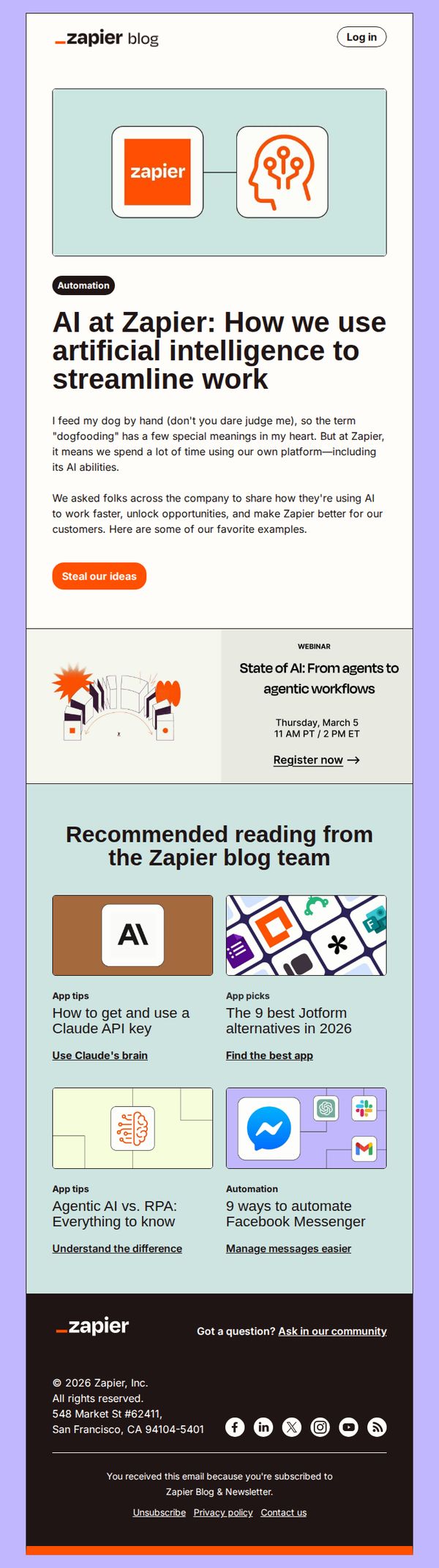
This email aims to showcase how Zapier internally leverages AI to improve workflows and productivity, inspiring readers to adopt similar strategies. It also drives engagement by encouraging readers to steal their ideas and register for an upcoming AI webinar.
Why this works
The email opens with a relatable, human-centered anecdote about 'dogfooding' to disarm the reader and frame AI adoption as a natural, internal practice rather than a sales pitch, making the message feel authentic and trustworthy.
How to implement
By featuring real internal use cases of AI at Zapier, the campaign transforms abstract technology into tangible, actionable workflows, giving readers concrete inspiration they can immediately adapt, which increases the perceived value and shareability of the content.
Pro Tip
The primary CTA 'Steal our ideas' is clever but slightly ambiguous, adding a micro-copy line like 'Get our internal AI workflows' beneath it would clarify the value and reduce friction for readers unsure what they’re committing to. • The webinar section lacks urgency or social proof, adding a small indicator like 'Join 2,000+ automation pros' or a countdown timer would increase registration conversion by leveraging scarcity and community validation.
6. Build an automated system
Objective
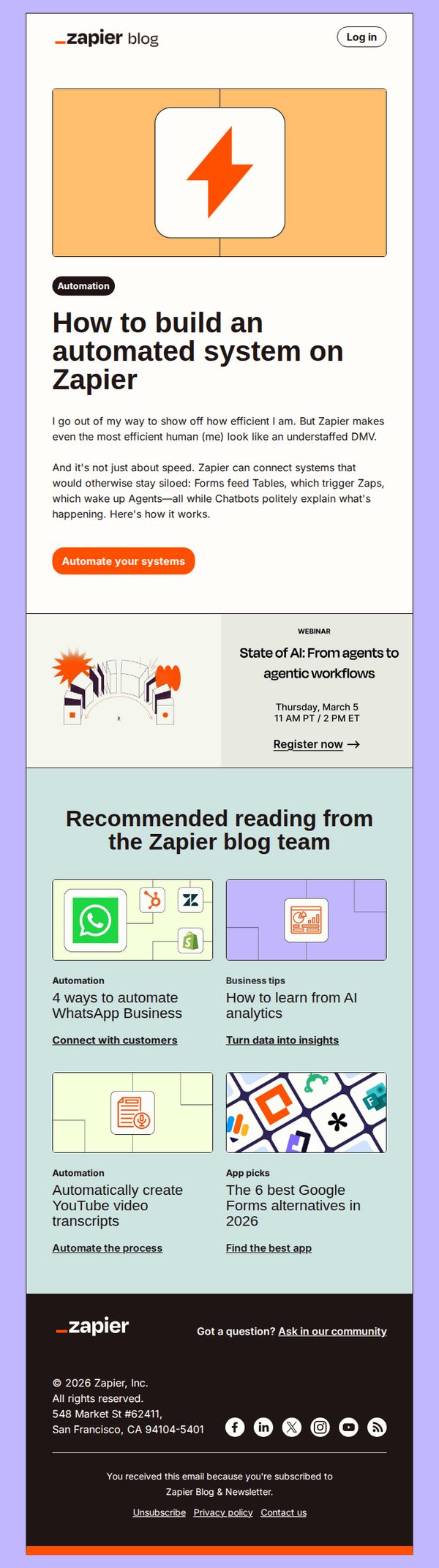
This email aims to educate subscribers on building automated systems using Zapier while subtly encouraging them to take action by automating their own workflows. It also promotes a related webinar and curates additional blog content to deepen engagement and position Zapier as a thought leader in automation.
Why this works
The email opens with a relatable, self-deprecating tone that humanizes automation, making complex tech feel approachable and inviting readers to see themselves as capable of building powerful systems with Zapier’s help.
How to implement
By embedding a webinar promotion directly beneath the hero message, the campaign strategically bridges educational content with live engagement, turning passive readers into active participants without disrupting the narrative flow.
Pro Tip
Add a visual progress indicator or mini-case study snippet under the hero CTA to show users what ‘automating your systems’ looks like in practice, this would reduce friction and increase conversion by making the outcome feel tangible. • Reposition the webinar CTA to appear as a secondary button beside the primary ‘Automate your systems’ CTA, rather than below it, to give users parallel paths to engage without forcing a linear decision that may dilute the main action.
7. Add custom code to your workflows
Objective
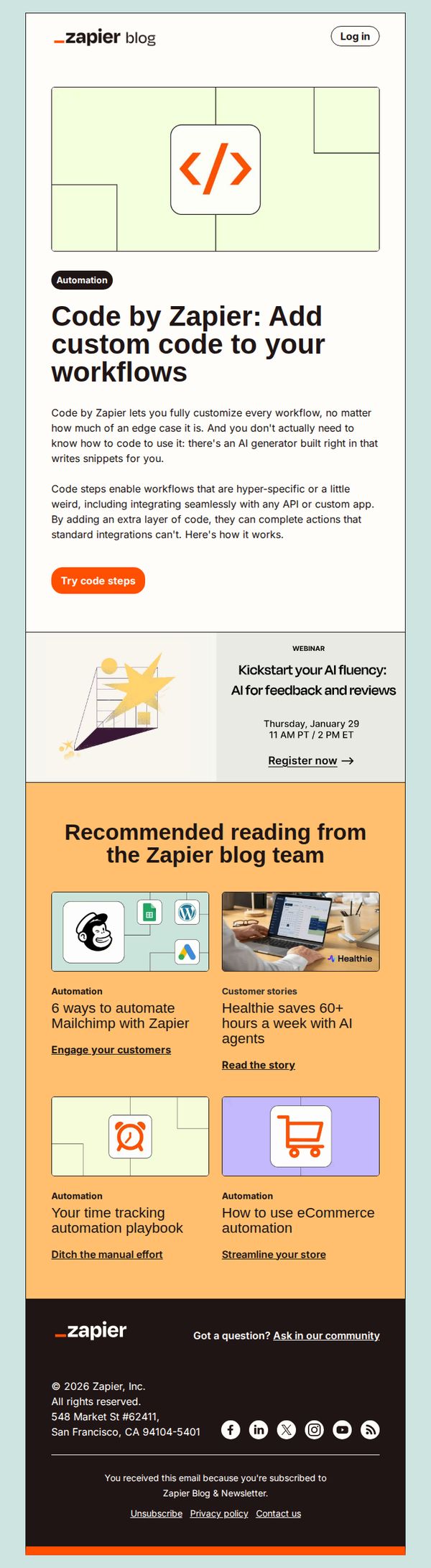
To introduce and promote Zapier’s new 'Code by Zapier' feature that allows users to add custom code to workflows without needing to know how to code, using an AI generator to simplify complex automation tasks.
Why this works
Zapier brilliantly lowers the barrier to advanced automation by positioning custom code as accessible through AI, making even edge-case workflows feel achievable for non-developers without oversimplifying the technical value.
How to implement
The email strategically frames the feature as a solution for hyper-specific or 'weird' use cases, which resonates with power users who’ve hit limits with standard integrations, turning frustration into a compelling reason to upgrade.
Pro Tip
Add a short animated GIF or static visual demo directly under the 'Try code steps' CTA to show how the AI generator writes snippets, this would reduce perceived friction and clarify the feature’s ease of use. • Include a customer testimonial or use case quote near the hero section to social-proof the value of code steps, especially for non-technical users who may still feel hesitant about adding code to workflows.
8. Automate project management
Objective
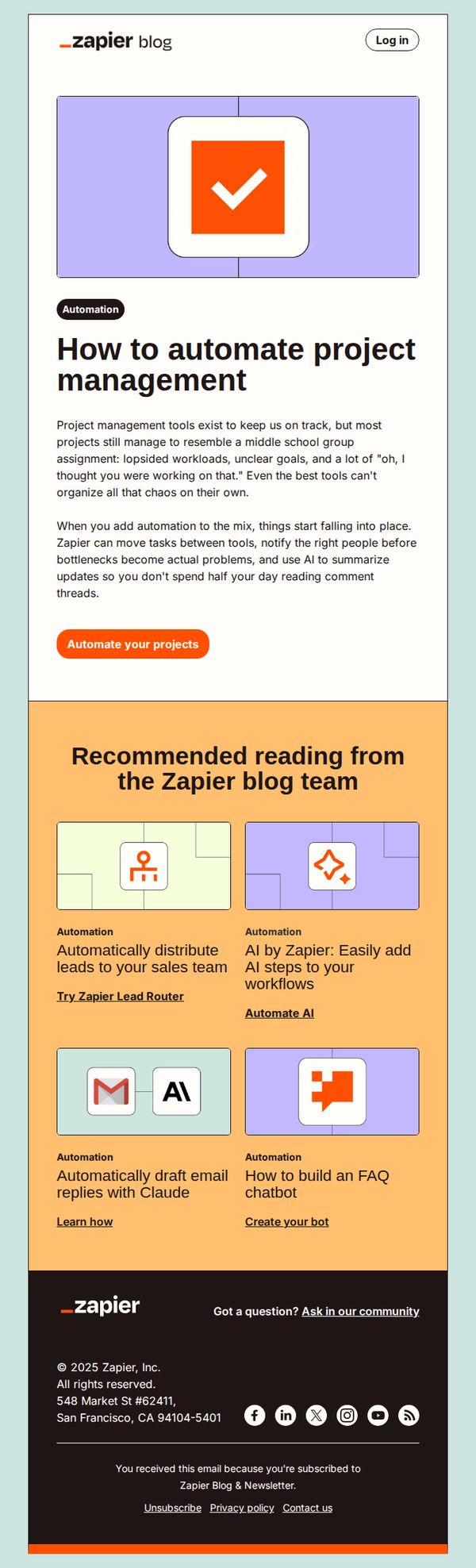
This email aims to educate subscribers on how Zapier can streamline project management by automating repetitive tasks and reducing manual oversight, ultimately encouraging them to start automating their own workflows with a clear next step.
Why this works
The email opens with a relatable pain point, chaotic, disorganized projects, then immediately positions Zapier as the solution that brings order through automation, making the value proposition instantly clear and emotionally resonant.
How to implement
By framing automation as a way to prevent bottlenecks and reduce time spent on comment threads, the copy speaks directly to productivity-focused professionals who feel overwhelmed by collaboration tools, increasing perceived relevance and urgency.
Pro Tip
Add a visual progress indicator or mini-case study showing before/after automation in project management to strengthen social proof and make the abstract benefit more tangible for skeptical readers. • Reposition the CTA button to appear both above and below the educational content to capture attention at multiple scroll points, especially since the current single CTA may be missed by users who skim or read quickly.
9. How to use Zapier search steps
Objective
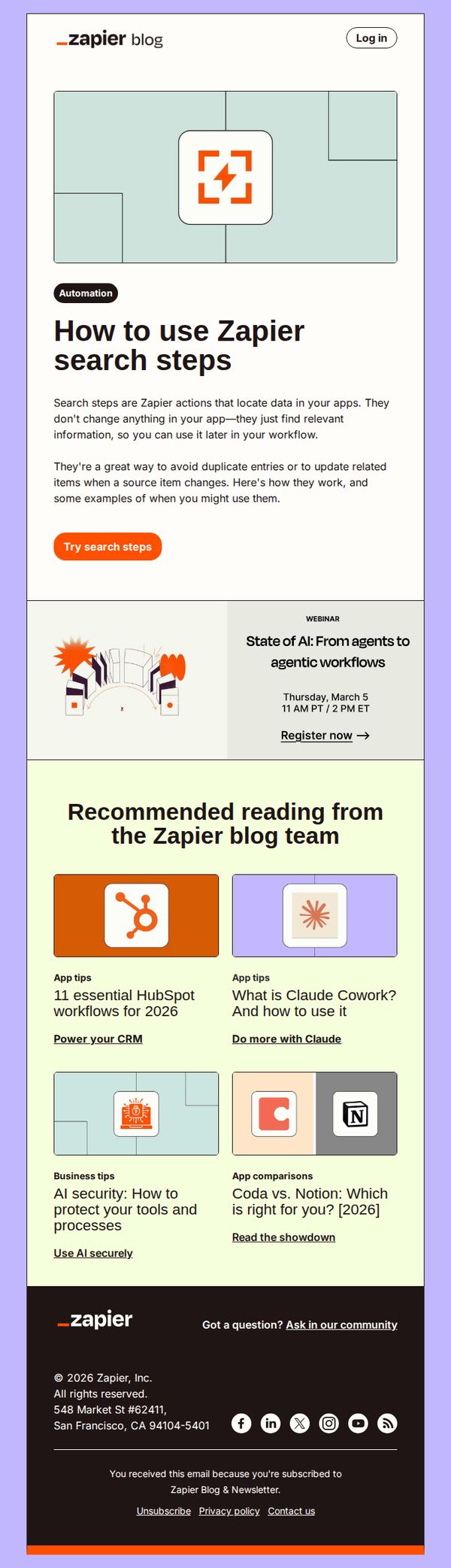
This email aims to educate subscribers on how to effectively use Zapier search steps to locate and reuse data across apps without altering source records, while also driving engagement through a clear CTA and promoting related content and events.
Why this works
The email clearly defines a technical feature, Zapier search steps, in plain, benefit-driven language, helping users immediately grasp how it prevents duplicate entries and streamlines workflows without altering source data.
How to implement
By pairing the educational content with a prominent, action-oriented CTA button labeled 'Try search steps,' the email bridges learning with immediate experimentation, reducing friction for users ready to apply the concept in real time.
Pro Tip
Add a short visual example or annotated screenshot next to the 'Try search steps' CTA to show users exactly what they’ll see when they click, reducing uncertainty and increasing conversion confidence. • Reposition the webinar promotion higher in the email or integrate it into the hero section to leverage urgency and relevance, since AI workflows directly relate to automation, the core theme of the email.
10. The best internal tool builders
Objective
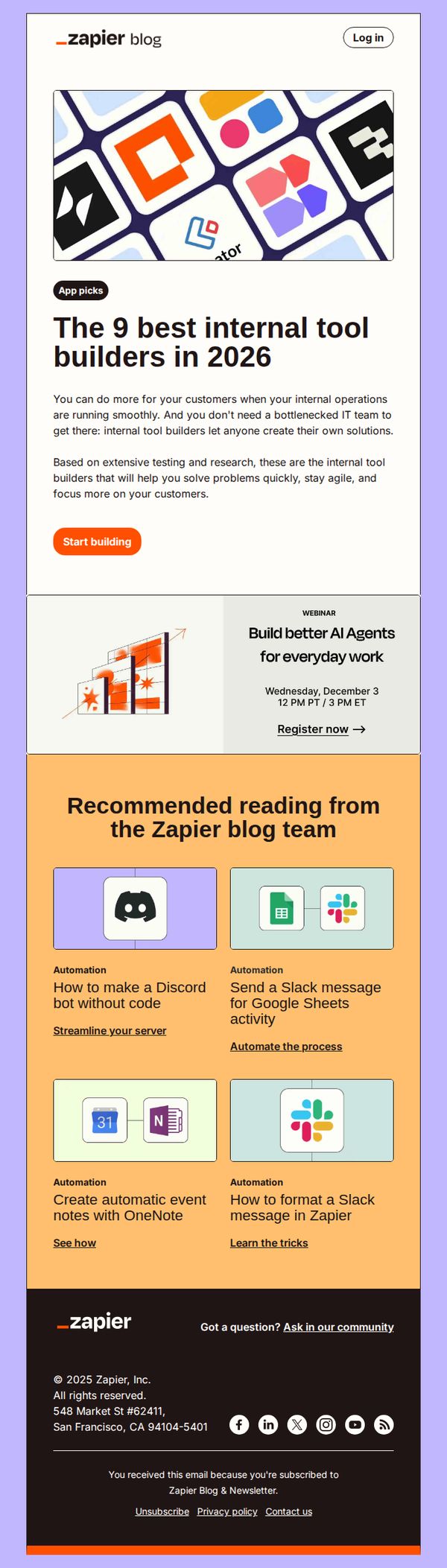
This email aims to position Zapier as a thought leader in internal tool automation by showcasing top builders for 2026, while driving engagement through a webinar and curated educational content that encourages readers to start building their own solutions without heavy IT dependency.
Why this works
The email opens with a strong value proposition that ties internal efficiency directly to customer outcomes, making the case that non-technical teams can solve real business problems without waiting on IT, a powerful emotional and practical hook for operations leaders.
How to implement
By curating 'recommended reading' with specific, actionable automation use cases, like creating Discord bots or Slack messages from Google Sheets, Zapier transforms passive readers into active experimenters, subtly guiding them toward product adoption through low-friction, high-relevance tutorials.
Pro Tip
Add a brief testimonial or customer result snippet under the hero section to reinforce credibility, for example, 'Teams using these tools reduced internal request turnaround by 70%', to strengthen the value proposition with social proof. • Reposition the webinar CTA to appear immediately after the hero section, above the recommended reading, to capture high-intent users before they scroll, currently, it’s buried and competes visually with the blog content.