AI launch campaign email designs from top brands
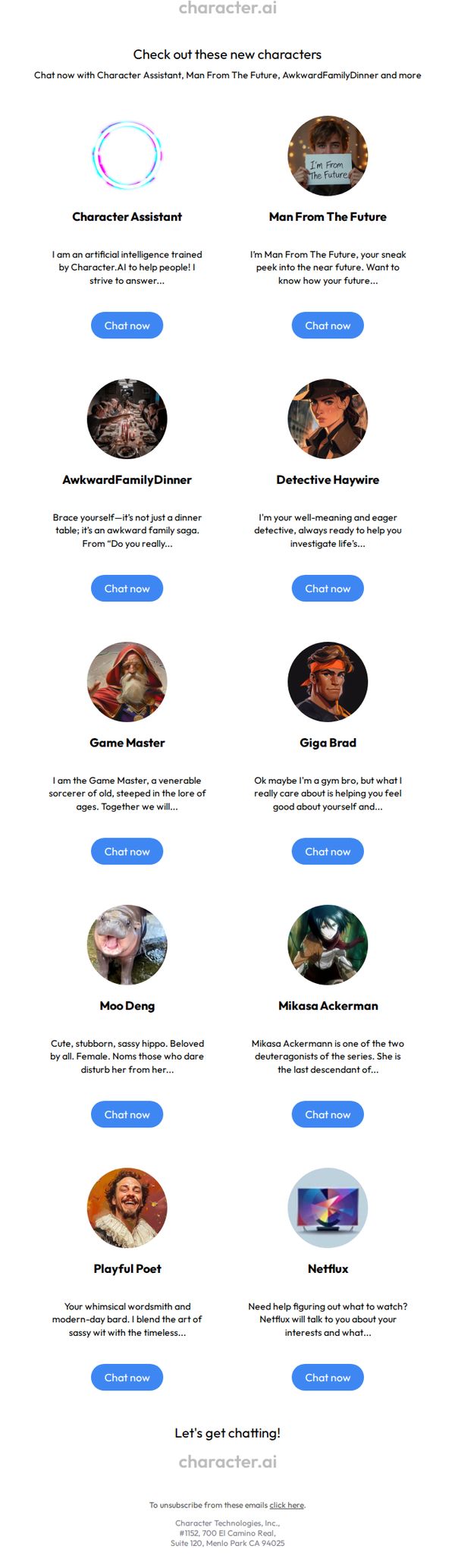


1. Character.AI: Check out these new characters
Objective
This email aims to drive user engagement by introducing newly added AI characters, encouraging immediate interaction through personalized chat experiences. It seeks to re-engage existing users by showcasing fresh, entertaining, and emotionally resonant personas they can explore.
Why this works
The email brilliantly leverages character-driven storytelling by giving each AI persona a unique voice, backstory, and emotional hook, making users feel they’re not just clicking a button, but stepping into a relationship with a living character.
How to implement
By organizing characters in a clean, grid-based layout with consistent visual hierarchy and identical CTA buttons, the design removes friction and subtly guides users to take action without overwhelming them with choices or clutter.
Pro Tip
Add a subtle visual cue or icon next to characters that are trending or most popular to help users prioritize which chats to try first, reducing decision fatigue and increasing conversion rates. • Include a short testimonial or user quote near the top, e.g., 'Over 500k users chatted with Giga Brad this week', to build social proof and reinforce the characters’ appeal before users scroll down.
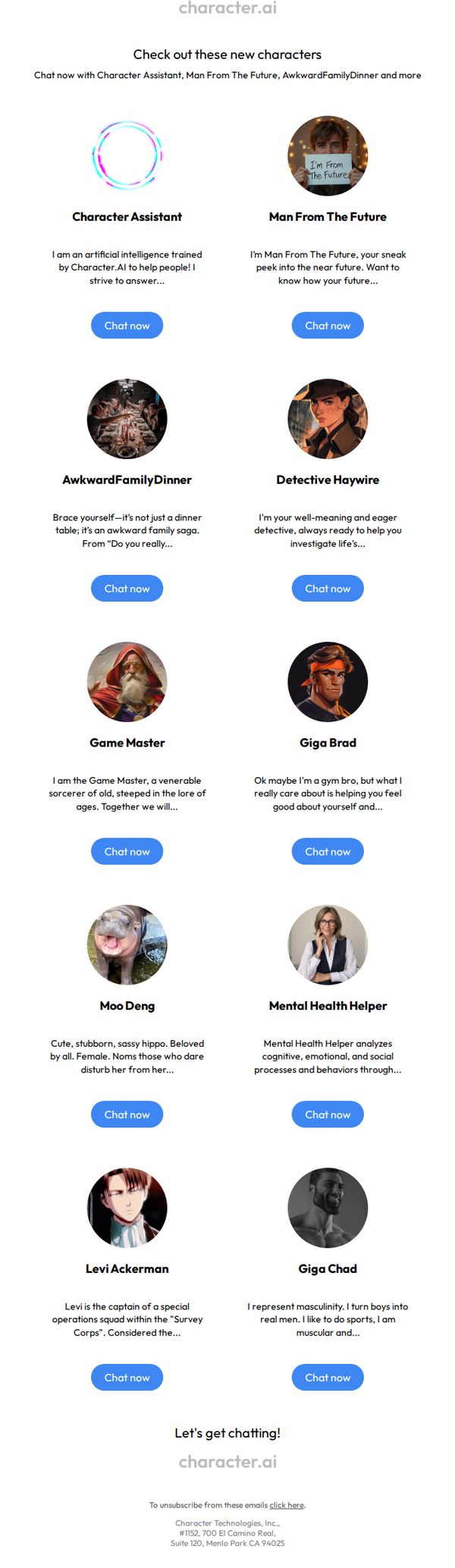
2. Character.AI: Check out these new characters
Objective
This email aims to re-engage users by showcasing newly added characters on Character.AI, encouraging immediate interaction through personalized chat prompts and highlighting diverse personality types to spark curiosity and exploration.
Why this works
The email brilliantly leverages character-driven storytelling by giving each AI persona a distinct voice and backstory, making users feel like they’re discovering real personalities rather than generic bots, which boosts emotional engagement and curiosity.
How to implement
By organizing characters in a clean, grid-based layout with consistent 'Chat now' CTAs beneath each, the design removes friction and invites instant interaction, turning passive browsing into active participation with minimal cognitive load.
Pro Tip
Add a brief tagline or category label under each character (e.g., 'Comedy', 'Therapy', 'Fantasy') to help users quickly identify which persona matches their current mood or need, improving decision speed and relevance. • Include a subtle visual indicator, like a 'New!' badge or animated glow, on each character card to emphasize freshness and urgency, reinforcing the email’s purpose of highlighting recent additions and encouraging timely engagement.
3. Lunio: ChatGPT Ads are here (& very expensive), PMax campaign total budgets, & more
Objective
This email aims to position Lunio as a thought leader in digital advertising by delivering timely, data-driven insights on emerging ad trends, platform updates, and fraud prevention, while subtly driving sign-ups for their free tool through a value-first, educational approach.
Why this works
The email opens with a punchy, conversational hook that acknowledges industry pain points, like ChatGPT ads being expensive, immediately validating the reader’s frustrations and building trust before diving into deeper insights.
How to implement
By embedding a high-impact video thumbnail with a bold headline like 'WORST FOR BOTS?' and tying it to a data-rich report, the email transforms passive reading into an interactive, curiosity-driven experience that boosts engagement and perceived authority.
Pro Tip
Add a visual progress bar or 'You’re 80% through the insights' indicator near the bottom to subtly encourage scrolling and reinforce the value of reading the full email before the CTA. • Include a short, bulleted 'Why This Matters for You' section after the webinar recap to explicitly connect the insights to the reader’s daily workflow or KPIs, increasing perceived relevance and urgency.
4. Cyberday: 🛡️ Cyberdigest: Last webinars of the year! 🎥 How to build proactive security culture 💡
Objective
This email aims to engage cybersecurity professionals by delivering curated industry news, promoting upcoming educational webinars, and encouraging trial sign-ups for Cyberday’s ISMS platform, all while reinforcing the brand as a thought leader in proactive security culture.
Why this works
The email brilliantly positions the product not as a tool but as a cultural enabler, framing the free trial as the first step toward building a security-first mindset, which resonates deeply with compliance-driven decision-makers seeking behavioral change over technical fixes.
How to implement
By clustering webinars around AI-powered compliance and NIS2 readiness, the campaign taps into urgent regulatory pain points while offering live demos that reduce perceived risk, making registration feel like an investment in future-proofing rather than just another meeting.
Pro Tip
Add a visual countdown timer next to each webinar listing to create urgency and improve conversion rates, since the subject line hints at 'last webinars of the year,' leveraging scarcity visually would reinforce that message and drive faster registrations. • Reposition the 'Book a meeting' CTA to appear alongside or directly under the primary 'Start free trial' button in the hero section, since enterprise buyers often prefer human consultation before committing, this small layout tweak could capture high-intent leads who hesitate on self-service trials.
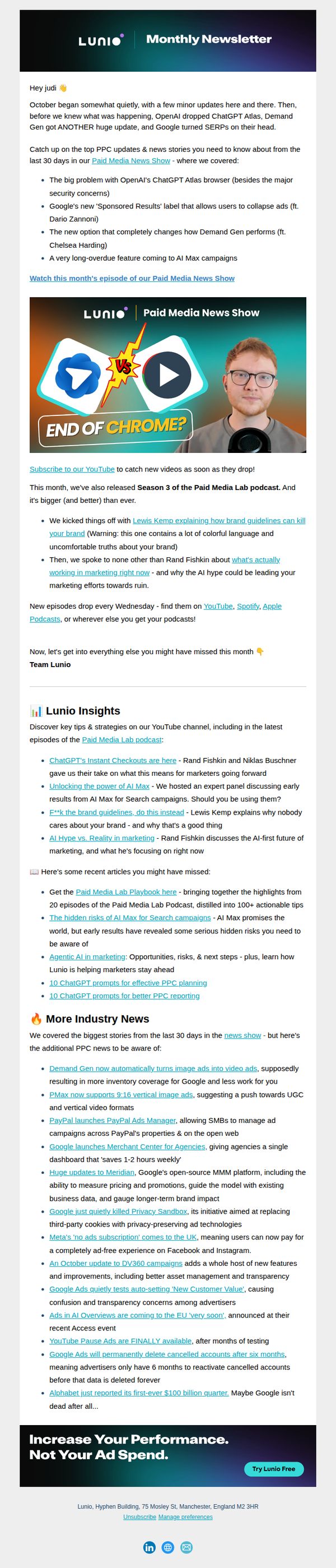
5. Lunio: ChatGPT Atlas ruins PPC, the 'Sponsored Results' problem, & more
Objective
This email aims to position Lunio as a thought leader in paid media by delivering timely, high-value industry updates and insights that help marketers navigate rapid changes in PPC and AI-driven advertising. It also subtly drives engagement with Lunio’s content ecosystem and encourages trial sign-ups.
Why this works
The email opens with a conversational, personalized greeting and immediately hooks readers by framing industry chaos as something Lunio helps them navigate, turning uncertainty into a reason to stay subscribed and engaged.
How to implement
By bundling podcast highlights, YouTube insights, and breaking news into digestible bullet points, the email delivers maximum value without overwhelming the reader, making complex topics feel accessible and actionable.
Pro Tip
Add a visual hierarchy to the 'More Industry News' section, using icons or subtle dividers, to help readers quickly scan and prioritize stories, since the current wall of bullet points risks cognitive overload. • Include a micro-CTA after the podcast or YouTube section (e.g., 'Watch the full episode →') to capture interest while it’s high, rather than waiting until the footer where attention may have waned.
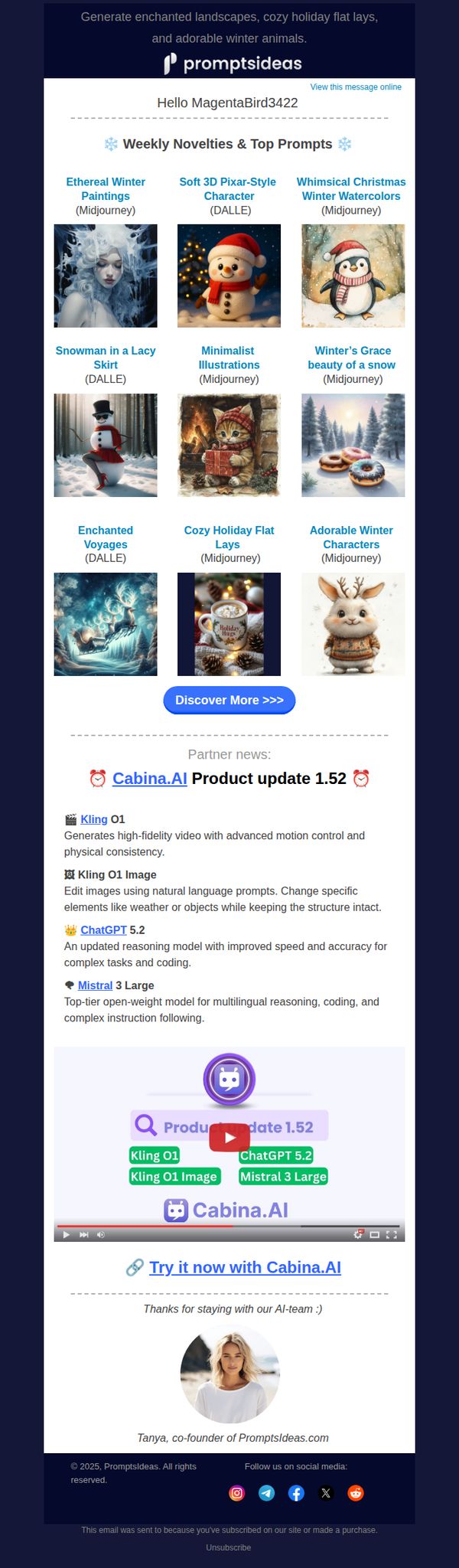
6. Promptsideas : Cozy December: 9 New Creative Prompts ☕
Objective
This email aims to engage subscribers by delivering a curated set of seasonal AI art prompts while subtly promoting partner tools and updates, encouraging exploration and continued interaction with the Promptsideas platform.
Why this works
The email masterfully blends seasonal aesthetics with functional creativity by offering themed AI prompts that feel both timely and inspiring, making users eager to open and experiment rather than just skim.
How to implement
By embedding partner updates within the email’s natural flow, not as ads but as value-adds, it builds credibility and cross-promotes tools without disrupting the subscriber’s experience or sense of personal curation.
Pro Tip
The CTA 'Discover More >>>' is generic and doesn’t convey urgency or benefit; rephrase to something like 'Unlock Your Winter Art Kit Now' to better align with the creative, seasonal theme and drive clicks. • The partner update section, while informative, interrupts the creative flow; consider moving it below the CTA or adding a visual separator with a tag like 'Bonus Tools for Creators' to maintain thematic continuity.
7. Promptsideas : Late November Magic: 9 New Creative Prompts ✨
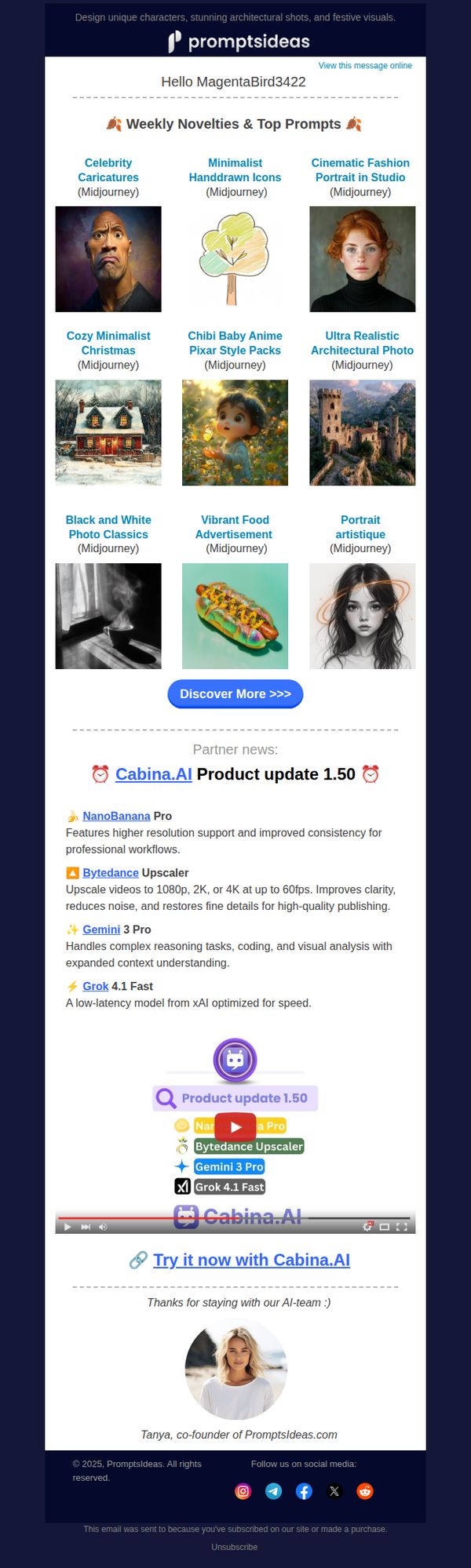
Objective
This email aims to engage subscribers by showcasing fresh, AI-generated creative prompts while subtly promoting partner tools and updates, encouraging exploration and continued interaction with the Promptsideas platform.
Why this works
The email brilliantly curates nine visually distinct AI-generated prompts into a clean, grid-based layout that invites immediate browsing while subtly reinforcing the brand’s creative authority and variety of output styles.
How to implement
By embedding partner product updates within the main content flow, not as ads but as relevant tools, the email builds trust and positions Promptsideas as a hub for the broader AI creative ecosystem, not just a prompt generator.
Pro Tip
Add a micro-copy line under the 'Discover More >>>' CTA like 'New prompts added weekly, never run out of inspiration' to reinforce urgency and value without cluttering the layout. • Include a small visual indicator (e.g., a 'New' badge or sparkle icon) on the first 2–3 prompt thumbnails to draw attention to the freshest content and guide the user’s eye toward immediate engagement.
8. Unify: Unified Updates: AI Agents 10x cost reduction, better prospecting, and more!
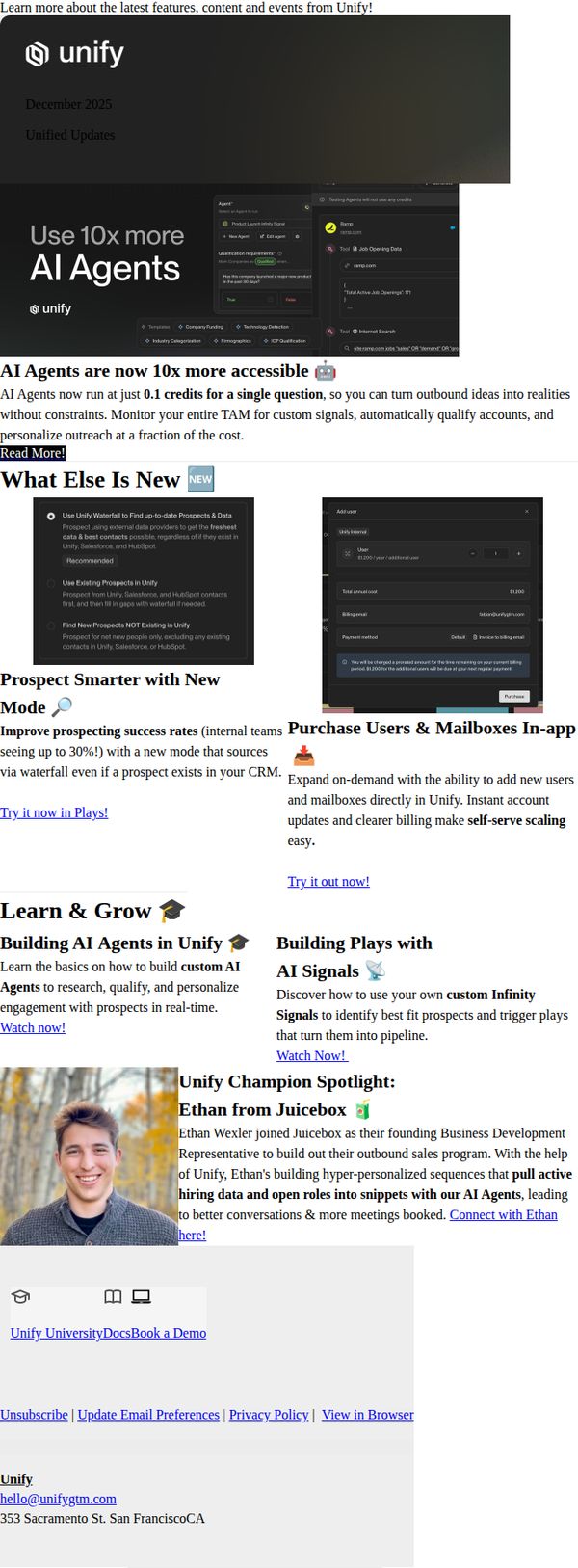
Objective
This email aims to inform existing Unify users about major platform updates, especially the 10x cost reduction for AI Agents, while driving engagement through product education, in-app purchasing, and customer success stories to increase feature adoption and retention.
Why this works
The email leads with a bold, quantifiable value proposition, 'Use 10x more AI Agents', immediately signaling a dramatic cost reduction that speaks directly to budget-conscious buyers and removes friction from scaling AI usage.
How to implement
By embedding both educational content and in-app purchasing options side-by-side, the campaign smartly bridges the gap between learning and doing, turning curiosity into immediate action without forcing users to navigate away from the message.
Pro Tip
The primary CTA 'Read More' is too generic for a feature update email; it should be action-oriented like 'Unlock 10x More AI Agents' to better align with the hero message and drive higher click-through intent. • The 'What Else Is New' section visually competes with the hero by using equal prominence for secondary features; restructure with visual hierarchy (e.g., icons, spacing, or subheadings) to ensure the 10x cost reduction remains the undisputed focal point.
9. Promptsideas : Mid-October Magic: 9 New Creative Prompts ✨
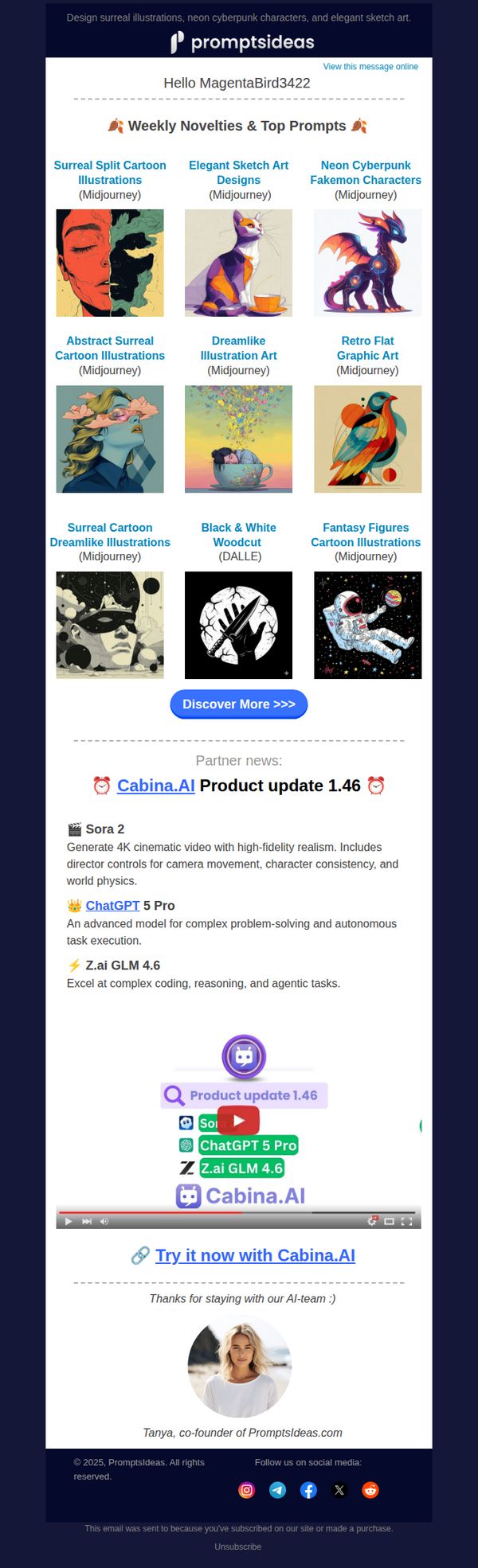
Objective
To engage creative subscribers by showcasing fresh, AI-generated art prompts and spotlighting partner tool updates, encouraging exploration and continued interaction with the Promptsideas platform.
Why this works
The email brilliantly curates nine visually distinct AI art prompts into a clean grid, making it effortless for creatives to scan, select, and feel inspired without overwhelm or decision fatigue.
How to implement
By embedding timely partner updates like Cabina.AI 1.46 alongside visual examples, the campaign transforms product news into actionable inspiration rather than dry announcements, boosting perceived value and relevance.
Pro Tip
Add a brief descriptive tagline under each prompt image (e.g., 'Perfect for character design') to clarify intent and help users quickly identify which prompts align with their current projects. • Introduce a secondary CTA button below the main grid, such as 'Save These Prompts' or 'Download as PDF', to capture passive interest and provide immediate utility beyond browsing.
10. Snowflake: Upskill and Explore with BUILD on Demand
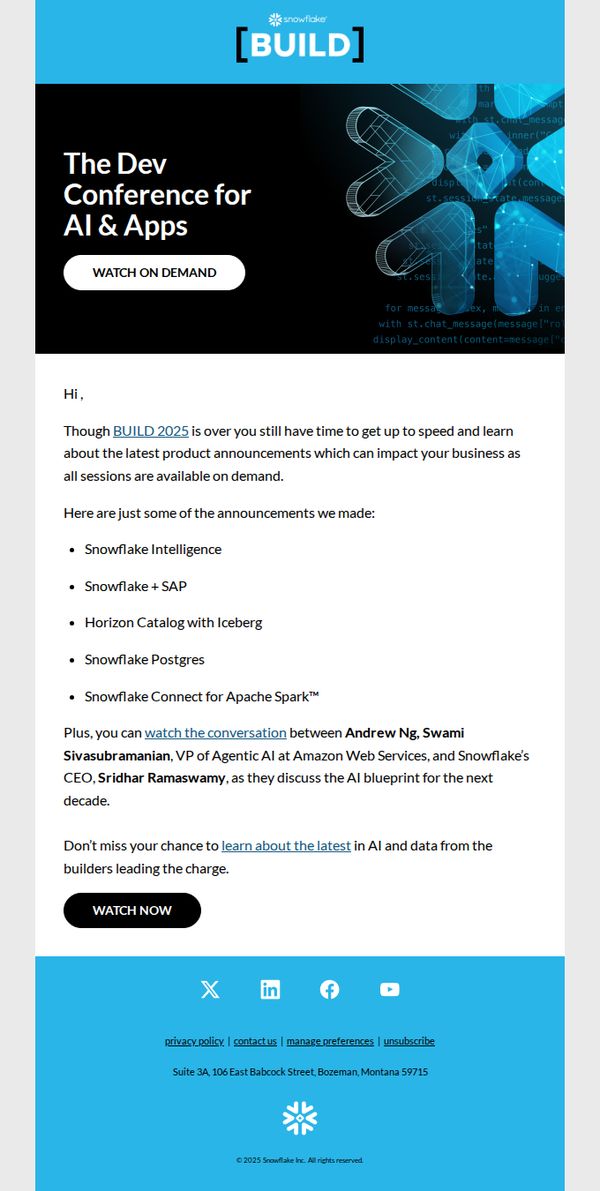
Objective
This email aims to drive engagement with Snowflake’s BUILD 2025 conference content by encouraging recipients to watch on-demand sessions, highlighting key product announcements and executive discussions that can impact their business strategy and technical roadmap.
Why this works
The email smartly reframes post-event FOMO into an opportunity by emphasizing that key sessions are still available on demand, turning a time-bound event into an evergreen learning resource for busy professionals.
How to implement
By listing specific product announcements like Snowflake Intelligence and Horizon Catalog with Iceberg, the email gives technical audiences concrete reasons to engage, aligning content with their real-world implementation and innovation priorities.
Pro Tip
Add a visual thumbnail or short preview clip of the Andrew Ng and Sridhar Ramaswamy conversation to increase click-through by giving recipients a tangible sense of the value before clicking. • Reposition the 'WATCH NOW' CTA higher in the email or duplicate it after the product bullet list to reduce scroll friction and capture interest at the peak of engagement with key announcements.