Data product highlight email examples & ideas

1. Loganix: Make your ads work harder 🎯
Objective
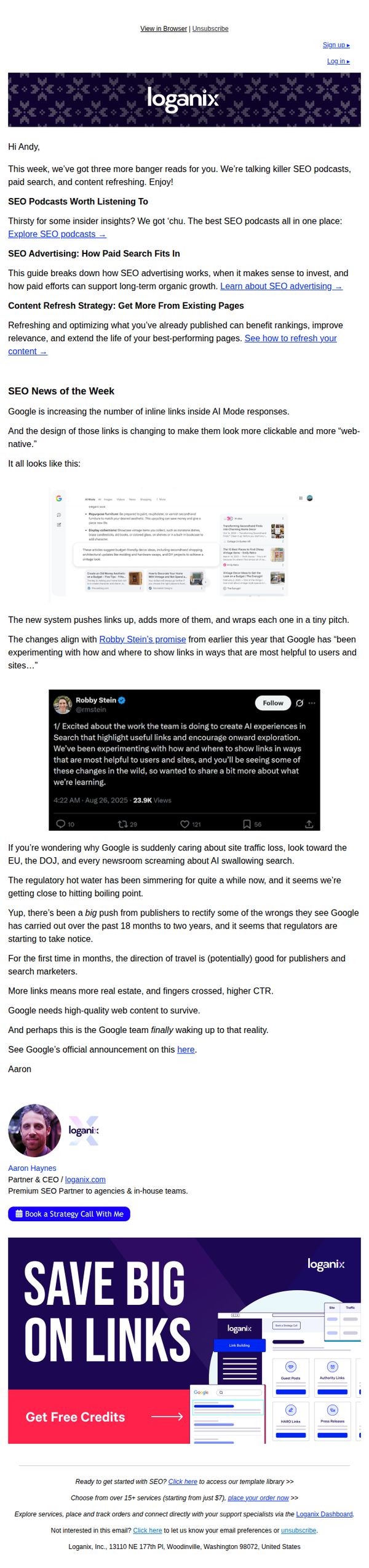
This email aims to engage subscribers with timely, high-value SEO insights while subtly promoting Loganix’s services by positioning them as industry authorities. It encourages readers to book a strategy call or explore service offerings through embedded CTAs.
Why this works
The email opens with a personalized greeting and immediately delivers value by curating three relevant, high-impact SEO topics, making the reader feel the content was handpicked just for them, which boosts engagement and trust.
How to implement
By embedding a tweet from a Google insider and referencing real-time algorithm shifts, the email leverages social proof and urgency to position Loganix as a forward-thinking, authoritative source, not just a service provider but a strategic partner in navigating industry change.
Pro Tip
Add a brief testimonial or client result snippet near the CTA to reinforce credibility, readers are more likely to book a call if they see others have achieved success with Loganix’s strategy sessions. • Include a micro-timeline or progress bar under the 'SEO News of the Week' section to visually emphasize how quickly Google’s changes are evolving, which would heighten urgency and justify immediate action.
2. Treasure Data: Free Starbucks inside + the latest research in martech
Objective
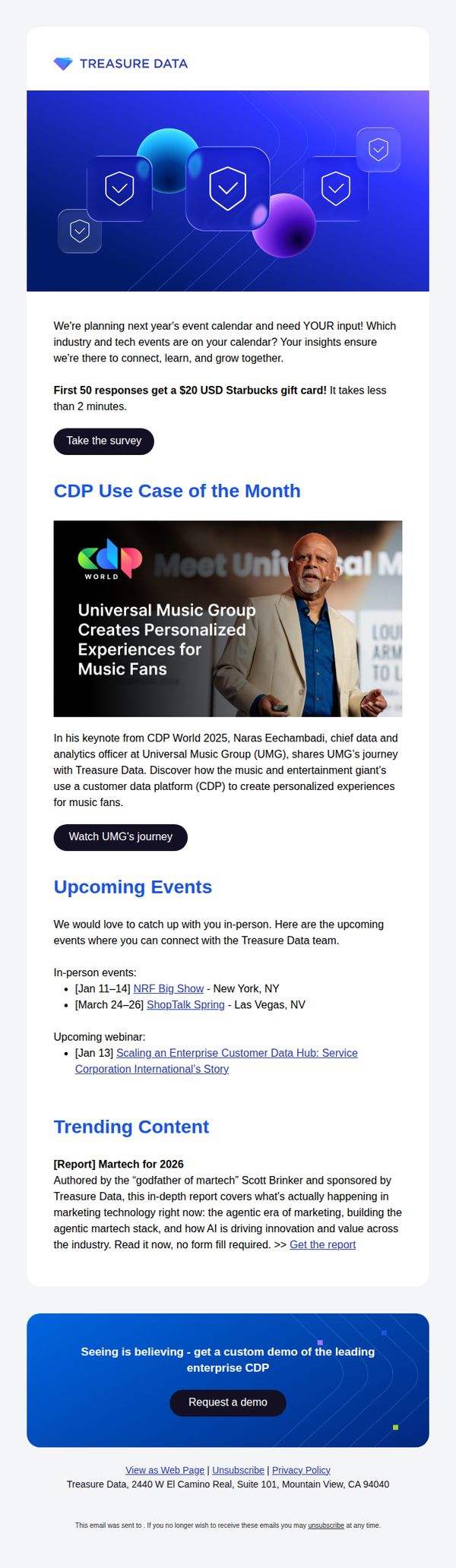
The email aims to engage recipients by inviting them to contribute to Treasure Data’s event planning in exchange for a Starbucks gift card, while also showcasing thought leadership through a customer use case, upcoming events, and a trending industry report to nurture interest in their CDP platform.
Why this works
Offering a tangible, low-friction incentive like a Starbucks gift card for survey participation dramatically increases response rates while subtly positioning the brand as generous and customer-centric, not just transactional.
How to implement
Embedding a high-profile customer success story with a recognizable brand like Universal Music Group builds instant credibility and demonstrates real-world ROI, making abstract CDP benefits feel concrete and achievable for prospects.
Pro Tip
The primary CTA 'Request a demo' is buried at the bottom and visually disconnected from the main value propositions; repositioning it near the top or after the use case would better capture intent while momentum is high. • The survey CTA and report CTA are both action-oriented but visually similar; differentiating their button styles or adding microcopy (e.g., 'Get My Gift Card' vs. 'Download the Report') would reduce friction and clarify user intent.
3. Semrush: Notification of rank change. Project: njaemail.com
Objective
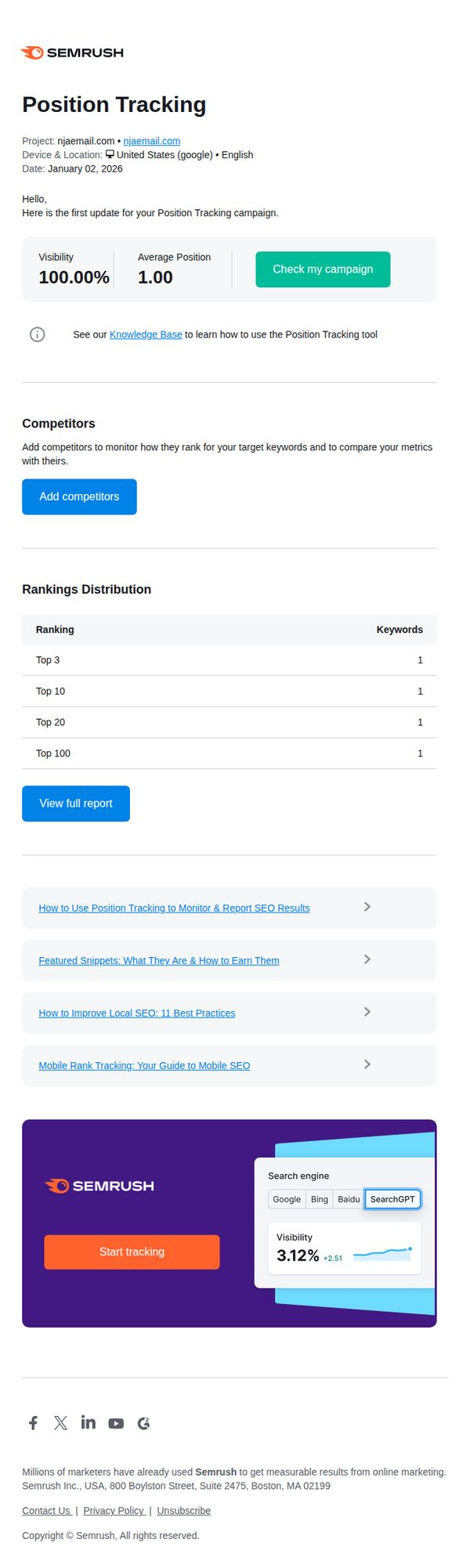
This email aims to notify the user of a significant rank change in their Position Tracking campaign and encourage them to engage further with Semrush’s tools by reviewing their performance metrics and exploring educational resources. It also seeks to drive action by prompting users to add competitors or start tracking additional keywords.
Why this works
The email immediately highlights a powerful metric, 100% visibility and position #1, to create instant emotional impact and validate the user’s investment in the tool, making them feel successful and motivated to explore further.
How to implement
By embedding a clear, context-aware CTA button labeled 'Check my campaign' directly under the performance snapshot, Semrush reduces friction and guides the user intuitively toward the next logical step without overwhelming them with options.
Pro Tip
Add a visual indicator like a green upward arrow or badge next to the +2.51 visibility change in the hero section to make performance gains instantly recognizable without requiring users to parse numbers. • Include a brief personalized note, such as 'You’ve moved up 3 positions since last week', to make the data feel more relevant and human, increasing emotional resonance and urgency to act.
4. Baremetrics: Why your users churn before they see your best features 👀
Objective
This email aims to educate SaaS founders and product teams on reducing early user churn by optimizing onboarding within the first 10 minutes, using insights from Thomas Griffin and actionable steps they can implement immediately.
Why this works
The email brilliantly reframes churn not as a product deficiency but as a failure to deliver value quickly enough, turning a common frustration into a solvable design challenge that empowers teams to act with urgency and clarity.
How to implement
By anchoring the entire message around Thomas Griffin’s ‘10-minute rule,’ the campaign creates an irresistible hook that transforms abstract onboarding theory into a concrete, measurable goal that product teams can rally behind and audit immediately.
Pro Tip
Add a visual progress bar or checklist next to the '10-minute audit' section to help users track completion and increase engagement through gamification, reinforcing the sense of momentum and accomplishment. • Replace the generic 'Subscribe Here' CTA with a more contextually relevant action like 'Start My 10-Minute Audit' to align the CTA with the email’s educational goal and reduce friction for users ready to take the next step.
5. Triple Whale: Product Updates from Triple Whale
Objective
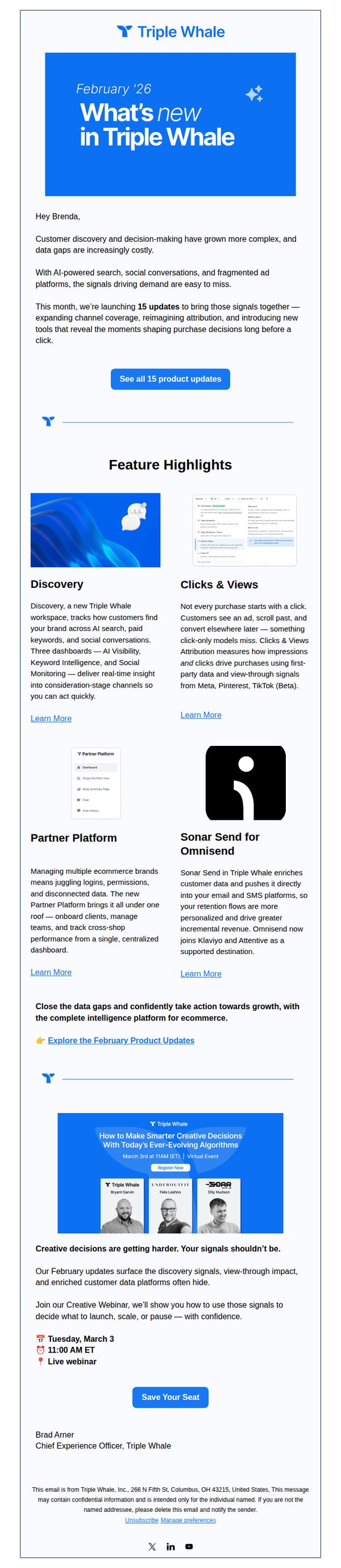
This email aims to inform existing users about 15 new product updates designed to help them better understand customer behavior and close data gaps, while also driving registrations for an upcoming webinar that demonstrates how to leverage these updates for smarter creative decisions.
Why this works
By framing product updates as solutions to growing complexity in customer discovery and decision-making, the email positions Triple Whale as an essential partner in navigating modern ecommerce challenges rather than just a tool provider.
How to implement
The email smartly uses feature highlights with concise explanations and visual mockups to demonstrate value quickly, helping busy users grasp how each update solves a real-world problem without overwhelming them with technical detail.
Pro Tip
Add a brief testimonial or customer result near the top to reinforce credibility, for example, a quote like 'Since using Discovery, we reduced wasted ad spend by 30%' would strengthen the emotional hook before diving into features. • Consider adding a visual progress bar or badge near the CTA that says '15 updates released this month' to create a sense of momentum and urgency, subtly encouraging users to explore before the next wave of features arrives.
6. Lightdash: ⚡ Feature Friday: Auto-titles are here + what's next for 2026
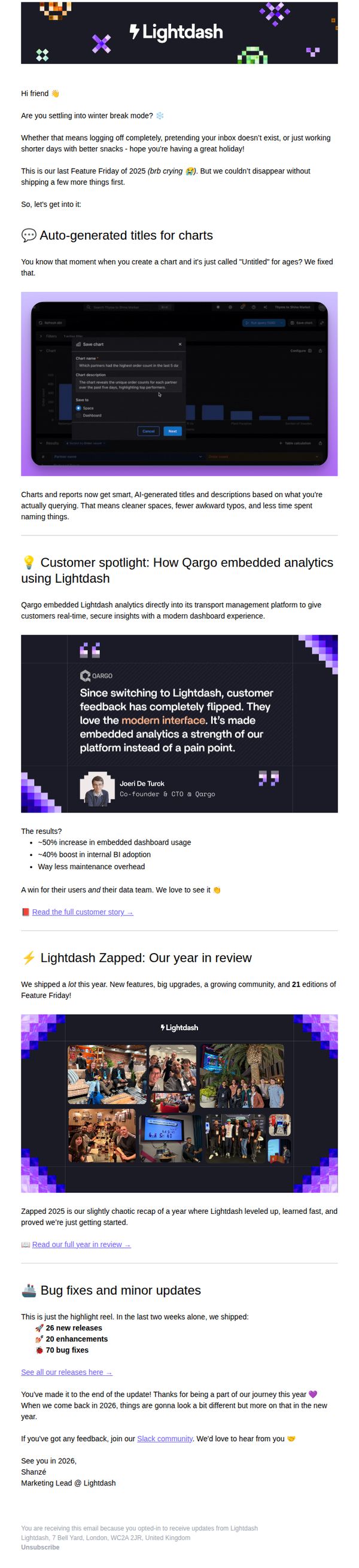
Objective
To celebrate the final Feature Friday of 2025 by announcing the launch of auto-generated chart titles, spotlighting a key customer success story, and recapping the year’s progress, all while building anticipation for 2026 and encouraging community engagement.
Why this works
The email brilliantly frames a small but impactful feature, auto-generated chart titles, as a time-saving, frustration-reducing upgrade that speaks directly to users’ daily pain points, making technical improvements feel personally valuable.
How to implement
By spotlighting Qargo’s transformation with embedded analytics, the campaign turns a customer success story into social proof that validates the platform’s modern interface and ROI, subtly nudging prospects to envision similar wins for their own teams.
Pro Tip
Add a secondary CTA after the year-in-review section encouraging users to join the Slack community or suggest 2026 features, this would capitalize on the momentum of the recap and turn passive readers into active participants. • Include a subtle visual countdown or teaser graphic near the footer hinting at 2026’s roadmap, this would heighten anticipation without disrupting the email’s celebratory tone and give readers a reason to stay engaged beyond the current message.
7. ScraperAPI: 4 ways to scrape Amazon product pages
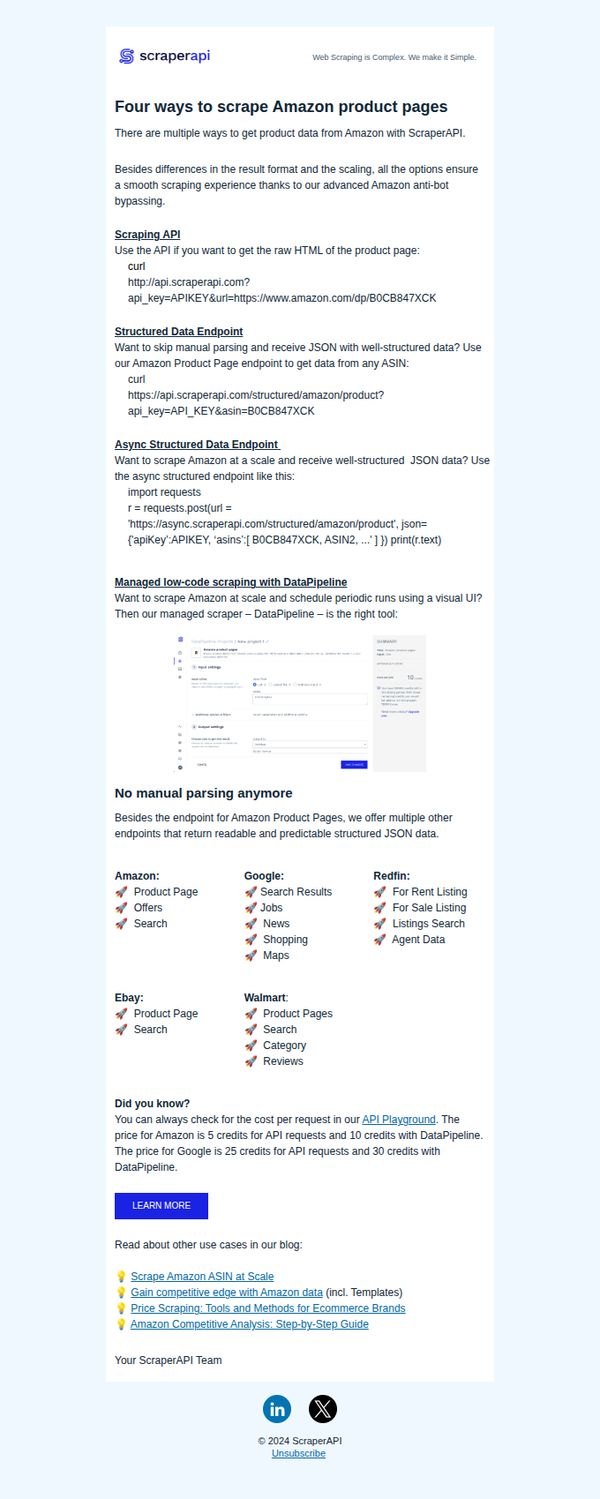
Objective
This email aims to educate technical users on the different methods ScraperAPI offers to scrape Amazon product pages while subtly promoting its scalable, anti-bot bypassing infrastructure. It also encourages deeper engagement by directing readers to explore pricing, use cases, and additional documentation.
Why this works
The email effectively turns a technical how-to into a product showcase by mapping each scraping method to a specific ScraperAPI feature, making complex infrastructure feel accessible and purpose-built for real-world use cases.
How to implement
By listing supported platforms like Amazon, Google, and Walmart alongside their available data types, the email builds credibility through breadth while subtly reinforcing that ScraperAPI handles the complexity so users don’t have to.
Pro Tip
Add a visual hierarchy or iconography to distinguish between the four scraping methods, currently, they blend into dense text blocks, making it harder for skimmers to quickly grasp the value of each approach. • Include a micro-CTA after each method (e.g., 'Try this endpoint →') to capture intent at each decision point, rather than relying solely on a single 'LEARN MORE' button at the bottom.
8. ClickUp : Codegen is joining ClickUp → Accelerating Super Agent capabilities
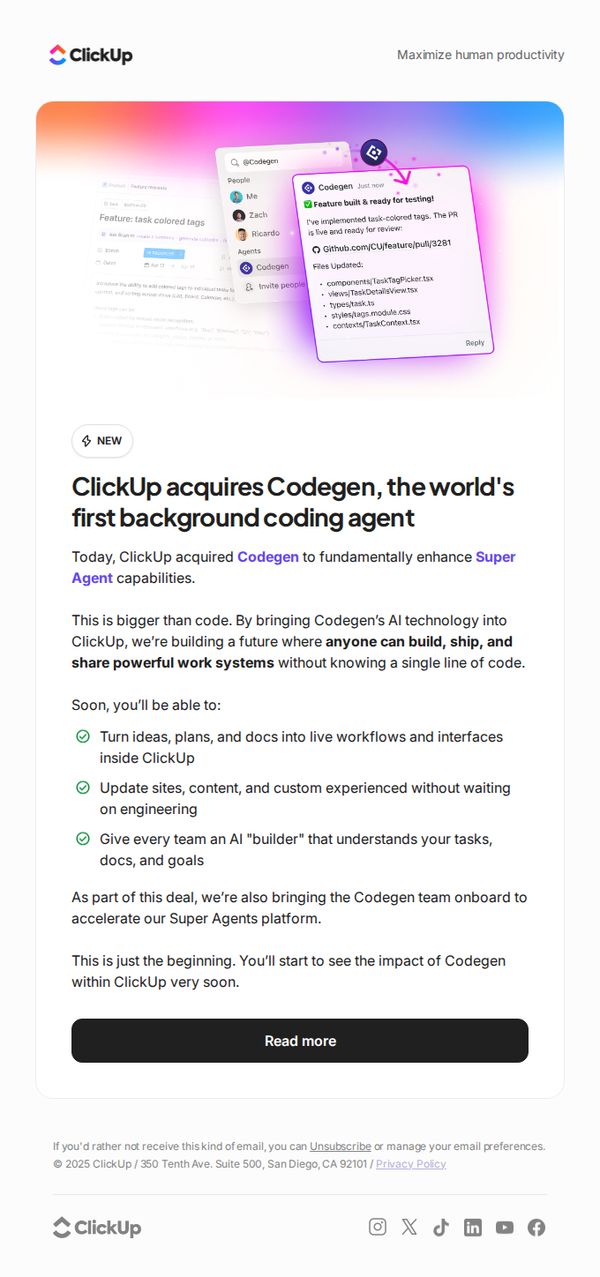
Objective
To announce ClickUp’s acquisition of Codegen and position it as a strategic move to enhance Super Agent capabilities, thereby reinforcing ClickUp’s vision of enabling non-technical users to build and ship workflows without coding knowledge.
Why this works
The email frames the acquisition not as a corporate maneuver but as a user-centric evolution, highlighting how non-technical teams will gain AI-powered building capabilities, which emotionally aligns with ClickUp’s mission to maximize human productivity.
How to implement
It uses a clean, benefit-driven bullet list to translate technical integration into tangible user outcomes, making complex AI advancements feel accessible and immediately valuable to product managers, marketers, and ops teams who don’t code.
Pro Tip
Add a subtle countdown or 'Coming Soon' indicator near the CTA to create urgency and signal that these features are actively being integrated, rather than just announced, which could increase click-through rates. • Include a short testimonial or quote from the Codegen founder or an early adopter to humanize the acquisition and reinforce trust in the technology’s real-world impact before users need to click ‘Read more’.
9. Lightdash: What if your analysts had 10 extra hours a week?
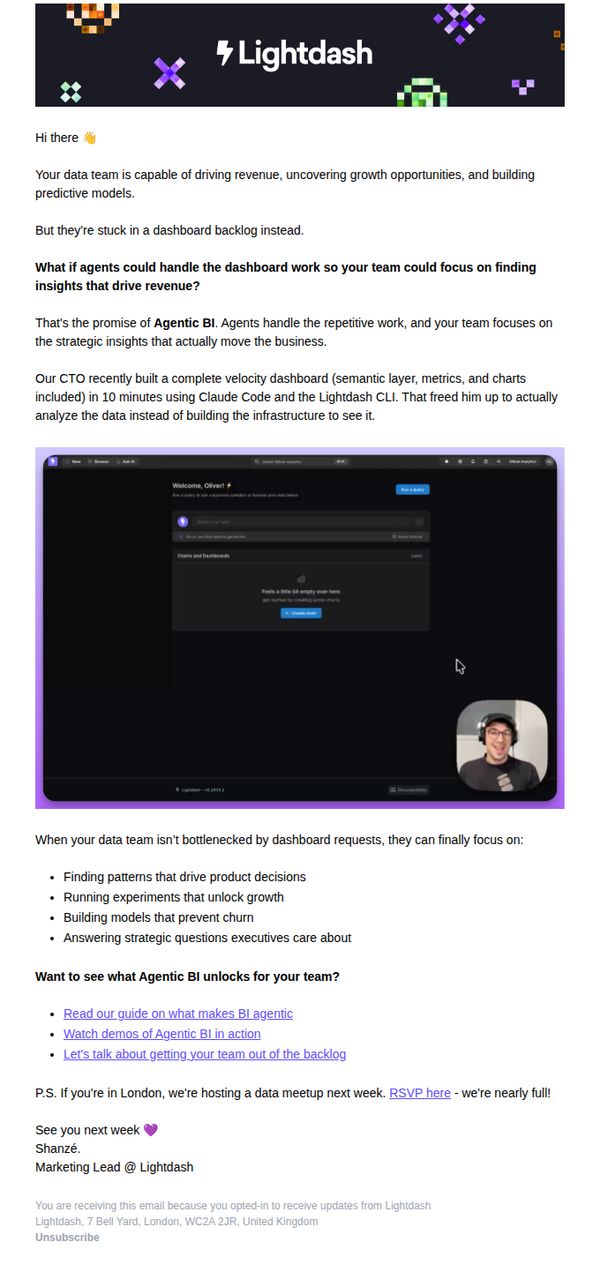
Objective
The email aims to position Lightdash’s Agentic BI as a solution that frees data teams from dashboard-building bottlenecks, enabling them to focus on high-impact strategic work that drives revenue and growth.
Why this works
The email opens with a provocative, benefit-driven question that immediately reframes the reader’s pain point, not as a technical limitation, but as a lost revenue opportunity waiting to be unlocked by automation.
How to implement
By spotlighting a real CTO’s 10-minute dashboard win using Claude Code and the Lightdash CLI, the email delivers social proof that’s both technical and time-bound, making the promise feel achievable and urgent for data leaders.
Pro Tip
Add a visual progress bar or time-saving counter next to the CTO’s 10-minute dashboard claim to quantify the efficiency gain and make the benefit more tangible at a glance. • Reposition the 'Let’s talk about getting your team out of the backlog' CTA higher in the email, perhaps after the CTO story, to capture interest while momentum is highest, rather than burying it after bullet points.
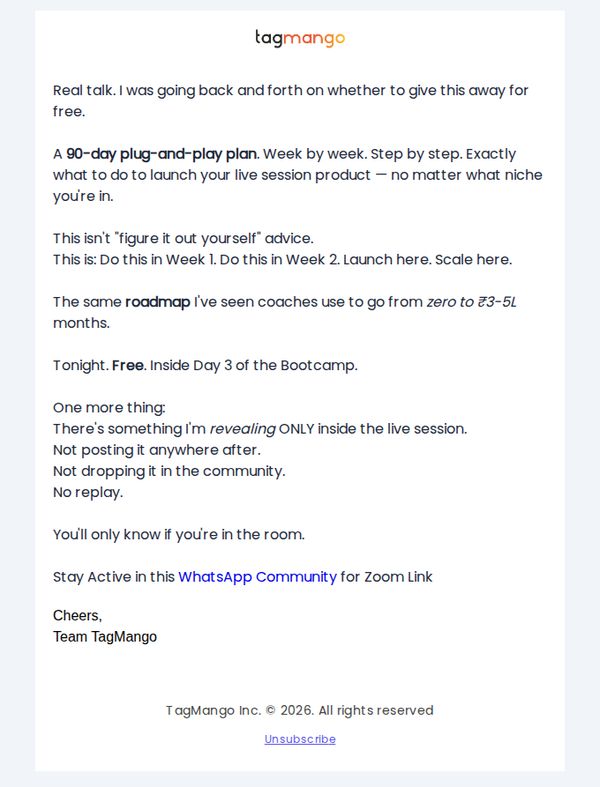
10. TagMango : I have a Super Surprise for Day 3 today...
Objective
The email aims to build anticipation and drive immediate engagement by teasing a time-sensitive, exclusive surprise available only during Day 3 of a live Bootcamp session, encouraging recipients to stay active in the WhatsApp community to access the Zoom link and not miss out.
Why this works
The email masterfully creates urgency and exclusivity by revealing a surprise only available live during Day 3, ensuring recipients feel they must be present to access value they can’t get anywhere else, including replays or community posts.
How to implement
By positioning the offer as a 90-day plug-and-play roadmap with week-by-week instructions, the email removes overwhelm and positions the product as accessible to any niche, making it feel both structured and universally applicable to the reader’s goals.
Pro Tip
Add a visual countdown timer or bolded time-sensitive indicator near the CTA to reinforce urgency and reduce the chance of recipients delaying action until it’s too late. • Include a brief testimonial or social proof snippet from a past Bootcamp attendee who benefited from the ‘surprise’ reveal to validate the exclusivity and increase perceived value before the live session.