ClickUp relational campaign emails worth copying


1. Why are you still working?
Objective
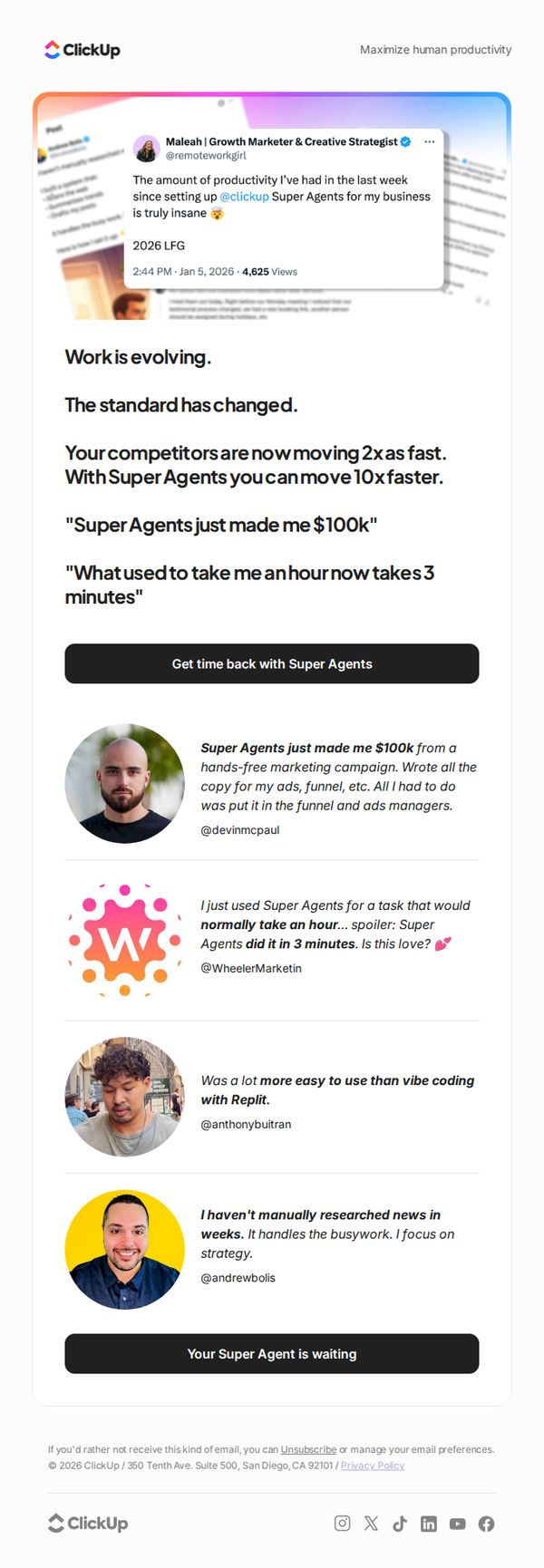
This email aims to drive urgency and conversion by positioning ClickUp’s Super Agents as a game-changing productivity tool that outpaces competitors and delivers dramatic time and revenue gains, encouraging immediate sign-up through social proof and bold claims.
Why this works
The email opens with a provocative, benefit-driven headline that immediately challenges the reader’s current workflow, creating instant curiosity and positioning the product as a necessary evolution rather than just another tool.
How to implement
It leverages real user testimonials with specific, quantifiable outcomes, like earning $100k or cutting hour-long tasks to 3 minutes, to build credibility and emotional resonance, making abstract productivity gains feel tangible and achievable.
Pro Tip
Add a brief 'How It Works' visual or 3-step breakdown after the hero section to reduce friction for new users who may not understand what Super Agents actually do, bridging the gap between curiosity and conversion. • Include a time-sensitive element like a countdown or limited-availability badge near the CTA to amplify urgency, especially since the email’s tone already implies rapid industry change and competitive pressure.
2. Super Agents work like human teammates, 24/7
Objective
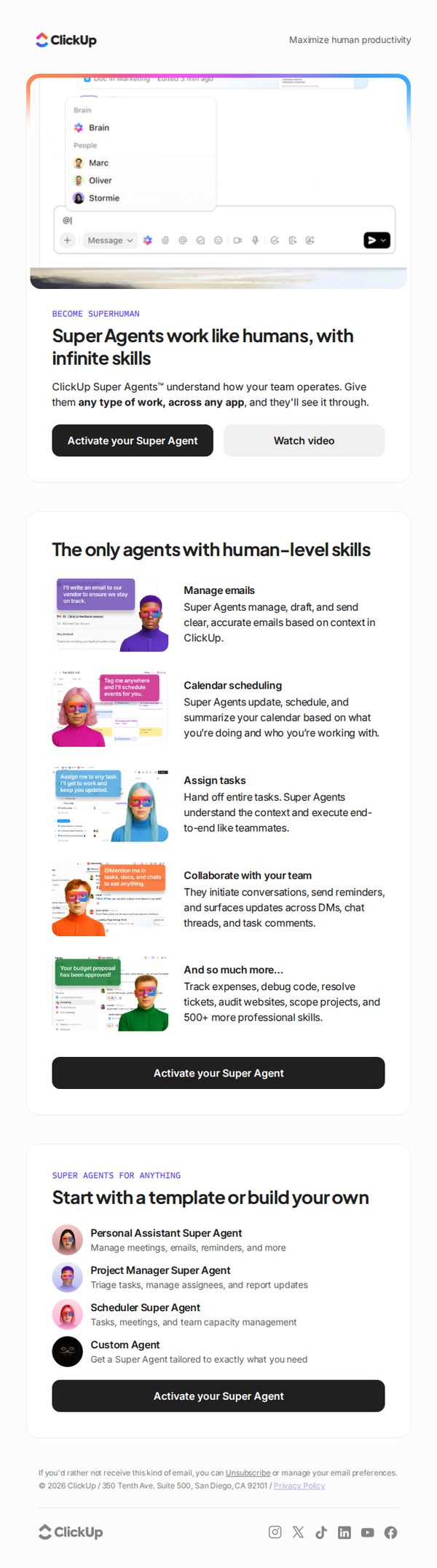
This email aims to introduce and promote ClickUp Super Agents as AI teammates that operate 24/7 with human-level skills, encouraging users to activate their own agent to boost productivity and automate complex workflows across apps.
Why this works
ClickUp positions Super Agents not as tools but as human-like teammates, which emotionally resonates with users overwhelmed by task overload and craving reliable, intelligent support that understands context and workflow.
How to implement
The email strategically showcases specific, high-impact use cases, like managing emails, scheduling, and assigning tasks, with visual examples that make abstract AI capabilities feel tangible, immediate, and deeply integrated into daily work routines.
Pro Tip
Add a subtle countdown timer or urgency indicator near the CTA to create FOMO, especially since the offer implies immediate productivity gains, this would nudge procrastinators to act now rather than defer activation. • Include a short testimonial or social proof snippet from a recognizable brand or user near the hero section to validate the 'human-level skills' claim and reduce skepticism about AI reliability in professional settings.
3. We found a portal to the flow state. Here are the coordinates!
Objective
This email aims to engage productivity-focused readers by introducing the concept of 'flow state' and positioning ClickUp’s voice-first features as a solution to sustain it. It also promotes new productivity methods and templates to deepen user engagement and drive tool adoption.
Why this works
The email brilliantly reframes productivity as a psychological state, 'flow', rather than a task list, making the reader feel understood and primed to adopt tools that protect that mental space, not just complete work.
How to implement
By anchoring the value proposition in real user pain points, like typing strain and idea evaporation, it creates immediate emotional resonance, then offers a frictionless, voice-first solution that feels like a natural extension of human thought, not another app to learn.
Pro Tip
The CTA 'Try Brain MAX talk to text' is buried after a long educational section; moving it higher or repeating it after the productivity tips would reduce friction and increase conversion by capturing interest while momentum is high. • The 'ClickUp presents' section with photos feels disconnected from the productivity narrative; replacing it with a short testimonial or user result tied to flow state would reinforce credibility and keep the focus on outcomes, not personalities.
4. A warm little recap of a not-so-little year 🎁
Objective
This email aims to help users reflect on their personal and professional progress over the year while subtly reinforcing ClickUp’s value as a tool for measurable productivity and intentional work habits. It blends emotional resonance with practical insights to deepen user engagement and brand loyalty.
Why this works
The email brilliantly reframes year-end reflection not as a performance review but as a personal narrative, inviting users to celebrate small wins and lessons, making productivity feel human, not mechanical, which builds emotional attachment to the brand.
How to implement
By introducing productivity concepts like 'reverse calendar method' and 'metacognition' through digestible, illustrated snippets, the email positions ClickUp as a thought leader without overwhelming the reader, turning abstract ideas into actionable, relatable tools.
Pro Tip
Add a subtle progress indicator or checklist next to the 'Log your year now!' CTA to visually nudge users toward completion, this would leverage the psychological principle of closure and increase conversion without disrupting the reflective tone. • Integrate a personalized stat or milestone from the user’s actual ClickUp activity (e.g., 'You completed 87 tasks this year!') in the hero section to make the reflection feel uniquely theirs, enhancing relevance and emotional resonance.
5. Here's lookin' at you!
Objective
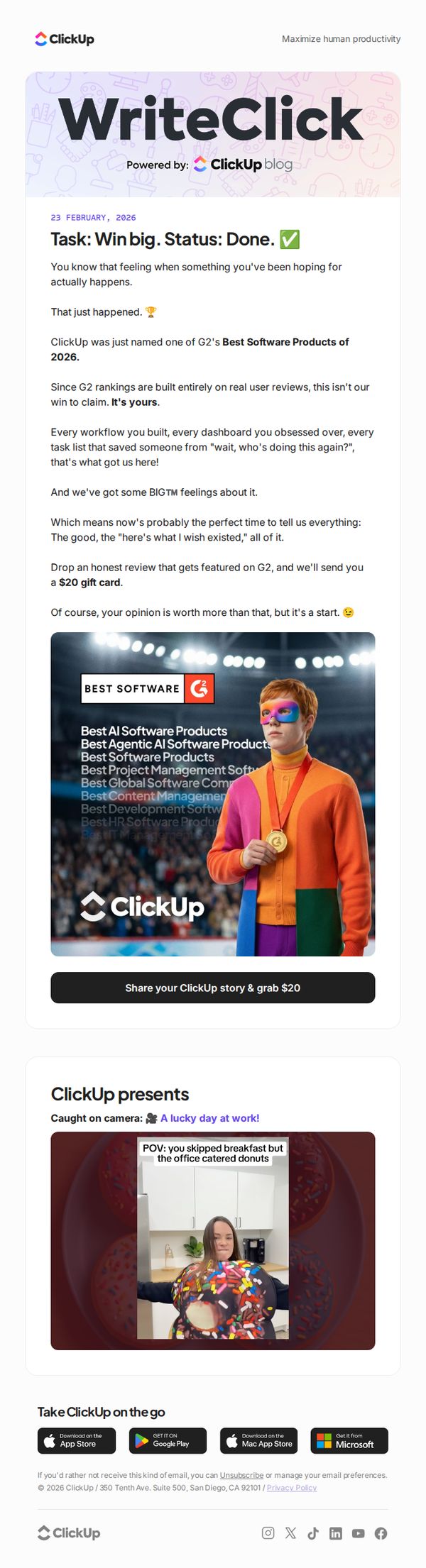
This email celebrates ClickUp’s recognition as one of G2’s Best Software Products of 2026 and turns that achievement into a community-driven moment by inviting users to share honest reviews in exchange for a $20 gift card, reinforcing user ownership of the win.
Why this works
ClickUp brilliantly flips a product award into a user-centric celebration, making customers feel like co-creators of the win rather than passive observers, which deepens emotional investment and encourages authentic advocacy.
How to implement
The email uses playful, conversational language like 'Task: Win big. Status: Done.' to mirror the product’s tone, creating a seamless brand experience that feels familiar and fun rather than corporate or transactional.
Pro Tip
The CTA button is visually strong but could be more persuasive by adding urgency or social proof, e.g., 'Join 5,000+ users sharing their story, grab $20 before spots run out', to increase conversion through scarcity and community validation. • The 'Caught on camera' section, while fun, distracts from the core goal; either tie it directly to the review incentive (e.g., 'Share your story, get featured like this lucky user!') or move it below the CTA to preserve campaign focus.
6. Meet the first AI Agents with human-level memory

Objective
This email aims to introduce ClickUp’s new Super Agents, AI assistants with human-level memory, and persuade users to try them by highlighting their intuitive, no-code collaboration features and real-world productivity benefits. It positions the agents as transformative tools that eliminate busywork and scale team output.
Why this works
ClickUp brilliantly frames its AI agents as 'Superhuman' collaborators, not just tools, which emotionally resonates by tapping into users’ desire for effortless, intelligent teamwork without technical friction or learning curves.
How to implement
The email strategically uses real-world workflow examples, like an SEO Agent completing a landing page, to demonstrate tangible outcomes, making abstract AI capabilities feel concrete, trustworthy, and immediately valuable to time-strapped professionals.
Pro Tip
Add a subtle countdown timer or limited-time incentive near the 'Try Super Agents' CTA to create urgency, since the current design lacks any temporal pressure that could nudge hesitant users toward immediate action. • Include a short customer testimonial or stat (e.g., 'Teams using Super Agents save 10+ hours/week') in the hero or education section to reinforce social proof and quantify the productivity claims made in the copy.
7. Let’s talk about that wobbly first step

Objective
This email aims to motivate readers to take their first small, actionable step toward productivity by offering a free Personal Projects Template, while also positioning ClickUp as a supportive guide for overcoming early-stage overwhelm and building momentum through practical, bite-sized content.
Why this works
The email brilliantly reframes January not as a time for grand resolutions but as a low-pressure launchpad for one tiny, curiosity-driven project, making productivity feel accessible rather than intimidating for overwhelmed beginners.
How to implement
By embedding a real Kanban board screenshot with relatable, imperfect tasks like 'Learn crochet' and 'Apartment hunt,' the email visually validates the user’s messy starting point while subtly demonstrating ClickUp’s flexibility for personal, non-corporate use cases.
Pro Tip
The primary CTA 'Get free template' is visually strong but lacks urgency or benefit-driven language, consider testing variants like 'Start your first project today, free template inside' to better align with the email’s motivational tone and increase conversion. • The 'What’s new in productivity?' section offers valuable mindset content but feels disconnected from the core offer, consider adding a micro-CTA like 'Apply this to your project →' linking back to the template to reinforce the campaign’s action-oriented goal.
8. All Workspaces are moving to ClickUp 4.0 soon. Turn it on today for your team.
Objective
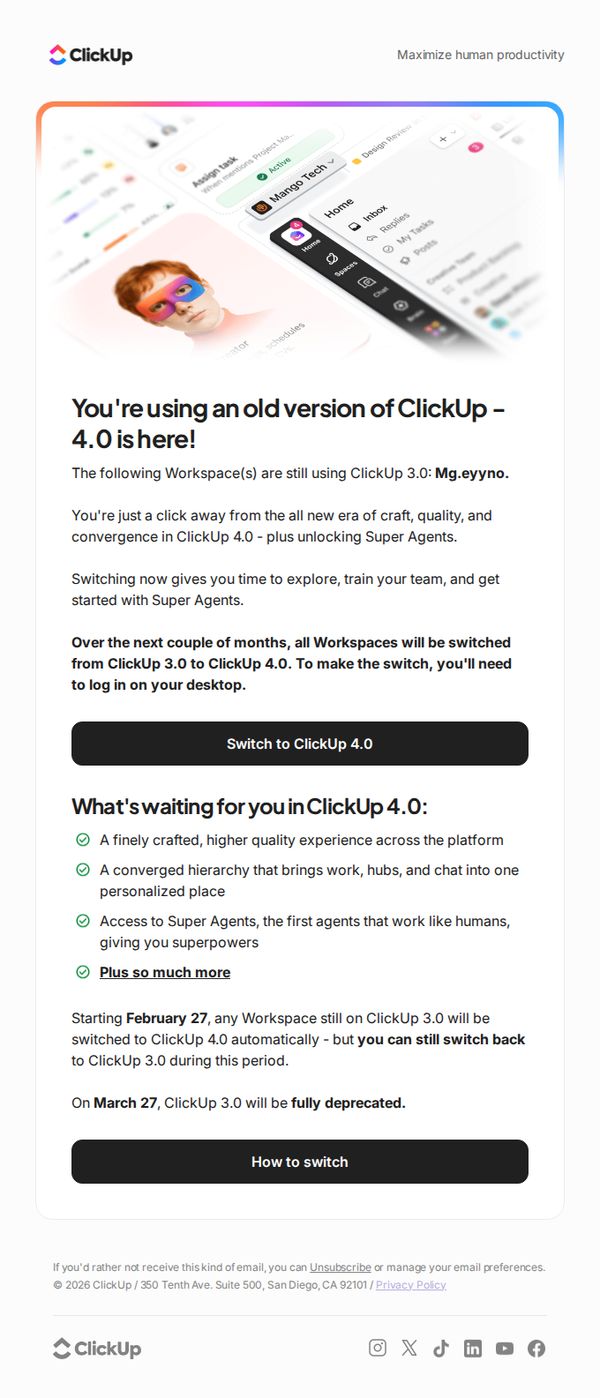
This email aims to prompt users to proactively upgrade their ClickUp workspaces from version 3.0 to 4.0 by highlighting key benefits and creating urgency around the upcoming automatic migration. It also seeks to reduce friction by reassuring users they can switch back temporarily and offering clear next steps.
Why this works
The email brilliantly frames the upgrade not as a forced change but as an empowering opportunity, using phrases like 'you’re just a click away from the all new era of craft, quality, and convergence' to position the update as a reward rather than a requirement.
How to implement
It builds trust and reduces resistance by clearly stating users can switch back temporarily during the transition window, which turns potential anxiety into a sense of control and makes the upgrade feel low-risk and user-centric.
Pro Tip
Add a visual comparison slider or side-by-side screenshot between ClickUp 3.0 and 4.0 in the Education Section to make the upgrade benefits more tangible and reduce perceived effort for users unfamiliar with the new interface. • Include a short video or animated GIF near the primary CTA showing how easy it is to switch versions, since visual walkthroughs significantly increase conversion for technical upgrades by reducing cognitive load and perceived complexity.
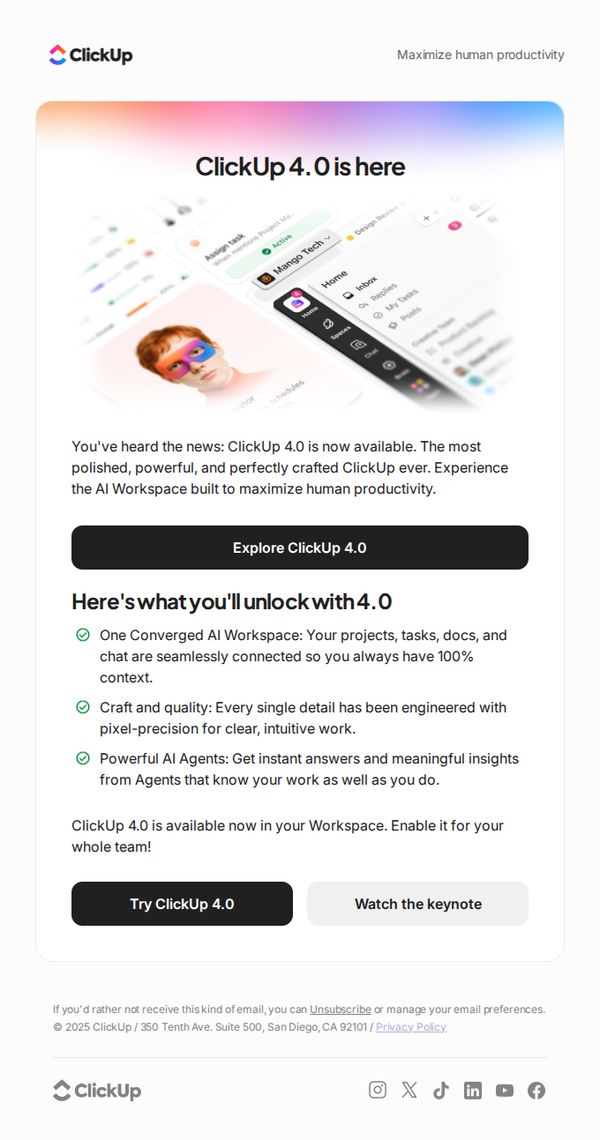
9. Reminder: Turn on ClickUp 4.0 for your team
Objective
This email aims to remind users to activate ClickUp 4.0 for their teams by highlighting its transformative AI-powered features and emphasizing the productivity gains available through immediate adoption.
Why this works
The email frames ClickUp 4.0 not just as an update but as a transformative AI workspace that unifies tasks, docs, and chat, making the upgrade feel essential rather than optional for modern teams.
How to implement
By listing concrete benefits like pixel-perfect design and AI agents that understand user workflows, the email builds credibility and reduces perceived risk, encouraging users to act without hesitation.
Pro Tip
Add a subtle countdown timer near the CTA to create urgency, since the email is a reminder, this would reinforce the 'now available' message and nudge procrastinators to act. • Include a short testimonial or customer quote beneath the bullet points to social-proof the claims, especially since the email targets team decision-makers who value peer validation.
10. Meet your new KPI for the year: Curiosity

Objective
This email aims to inspire curiosity-driven productivity by reframing 2026 as a year of playful experimentation rather than rigid planning, encouraging readers to adopt a growth mindset and try ClickUp’s tools for personal time management and idea testing.
Why this works
By positioning curiosity as a measurable KPI, the email reframes productivity not as rigid output but as a playful, iterative journey, making it emotionally resonant for overwhelmed professionals seeking flexibility.
How to implement
The use of visual metaphors like 'side quests' and 'bridges to the next best thing' transforms productivity tools into adventure mechanics, which lowers psychological resistance and invites playful engagement with planning systems.
Pro Tip
The CTA 'Try it for free' appears only once and is buried under a large image; adding a sticky or secondary CTA above the fold would reinforce conversion intent without disrupting the inspirational tone. • The 'ClickUp presents' section featuring team photos feels disconnected from the productivity theme; integrating a short quote or testimonial about curiosity from one of the team members would strengthen emotional alignment and credibility.