Software testimonial emails worth copying


1. SecurityScorecard: There’s so much more to SecurityScorecard
Objective
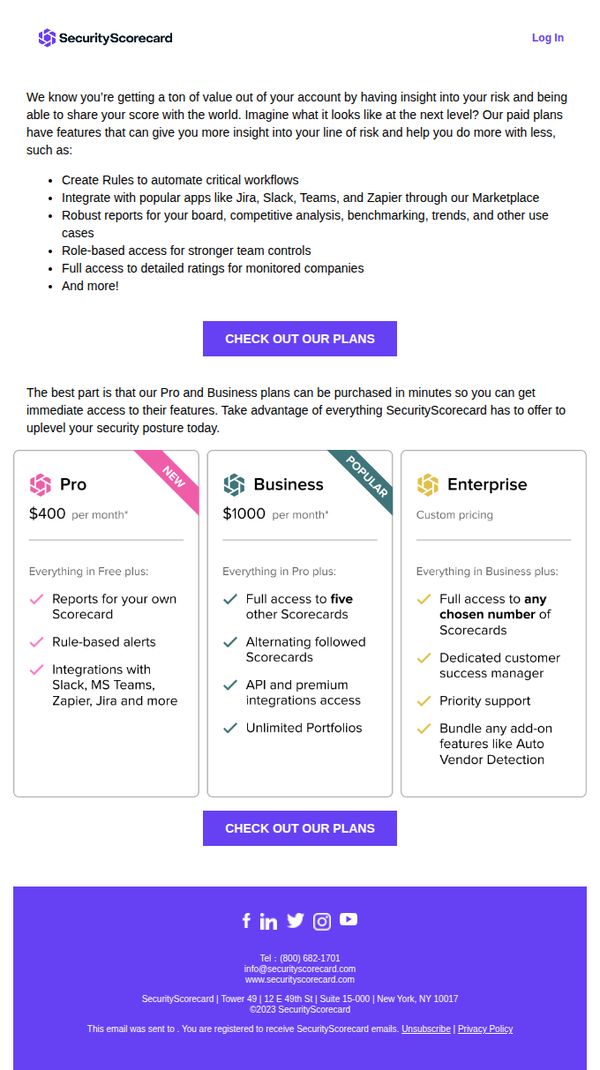
This email aims to upsell existing SecurityScorecard users by highlighting the advanced features available in paid plans, encouraging them to upgrade for deeper risk insights and workflow automation. It positions paid tiers as essential for scaling security operations efficiently.
Why this works
The email opens by validating the user’s current value while subtly hinting at untapped potential, creating a natural bridge to premium features without sounding pushy or dismissive of their existing usage.
How to implement
Each pricing tier is clearly differentiated with checkmarks and benefit-focused language, helping users self-identify which plan aligns with their operational scale and team needs without overwhelming them with jargon.
Pro Tip
Add a brief testimonial or customer quote near the pricing grid to reinforce trust and social proof, especially for users hesitant to upgrade from Free to Pro or Business tiers. • Include a short FAQ or 'What’s the difference?' toggle beneath the pricing cards to reduce friction for users comparing plans, especially around API access, portfolio limits, and support levels.
2. BrightLocal: [Research] 16% Favor Criminal Charges for Fake Reviews
Objective
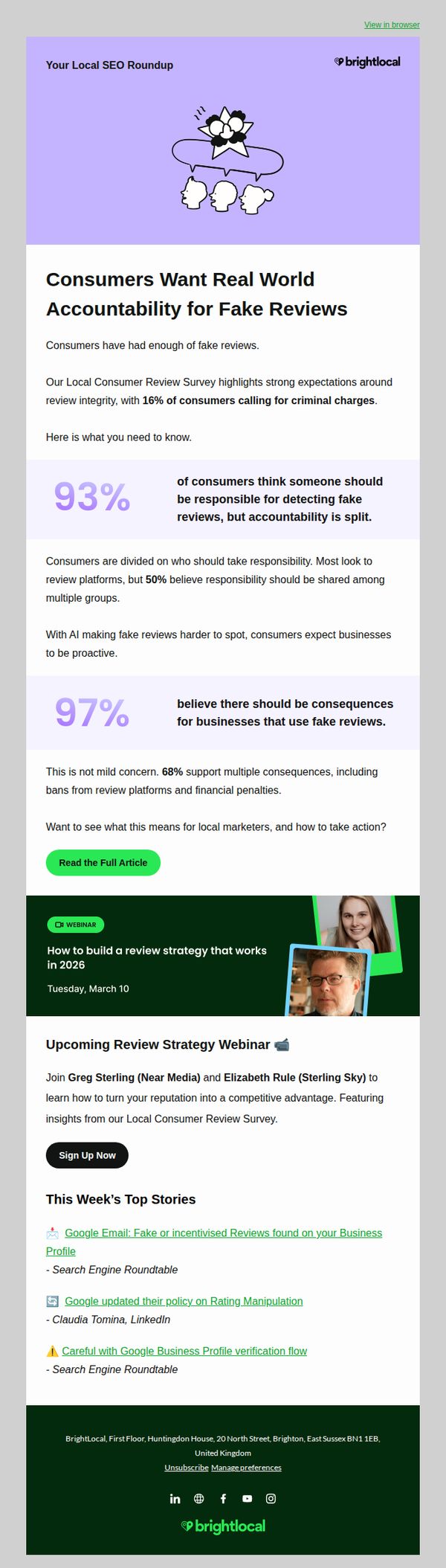
This email aims to inform local marketers about consumer sentiment around fake reviews, emphasizing the growing demand for accountability and consequences, while positioning BrightLocal as a trusted authority by offering actionable insights and a related webinar to help businesses build ethical review strategies.
Why this works
The email effectively leverages emotionally charged statistics like '16% favor criminal charges' to create urgency and position fake reviews as a serious ethical and legal issue, not just a marketing nuisance, which resonates deeply with local business owners concerned about reputation.
How to implement
By pairing hard-hitting survey data with a practical next step, a webinar featuring industry experts, the campaign transforms awareness into actionable strategy, making the content feel valuable and immediately applicable rather than purely informational or fear-based.
Pro Tip
The primary CTA 'Read the Full Article' is buried below two large stats and lacks visual hierarchy; adding a second, more prominent CTA button near the top or using a contrasting color would increase click-throughs by reducing friction for time-pressed readers. • The webinar section, while relevant, feels disconnected from the research narrative; integrating a line like 'Our survey data directly informs the strategies we’ll teach in this webinar' would strengthen the strategic link and improve conversion from insight to action.
3. OptiSigns: Your February Digital Signage Scoop is Here!
Objective
This email aims to inform existing and potential customers about OptiSigns’ latest platform updates, new features like OptiDev.ai and Sports Feeds, and recent event highlights to drive engagement and encourage sign-ups or upgrades. It also promotes featured apps and templates to inspire content creation and reinforce product value.
Why this works
The email opens with a playful, personified subject line and headline that speak directly to the user’s screens, a clever emotional hook that turns technical updates into a relatable, urgent conversation rather than a dry product bulletin.
How to implement
By spotlighting real-world validation, like the ISE 2026 Best of Show award and live event recaps, the campaign builds credibility and social proof without sounding boastful, making the product feel trusted and industry-leading to skeptical buyers.
Pro Tip
The hero section’s CTA ‘See What’s New’ is visually underwhelming compared to the footer’s ‘Set Up Your Signs Here’, reposition or redesign the hero CTA to match the urgency and visual weight of the final conversion button to reduce drop-off before users reach the bottom. • The ‘Platform Changes’ section lists templates and feeds but lacks visual previews or icons for each item, adding thumbnail images or category badges would improve scannability and help users quickly identify relevant content without reading every bullet point.
4. Appsumo: BroswerAct fast
Objective
This email aims to create urgency around the imminent departure of BrowserAct from AppSumo’s platform, encouraging immediate purchase by highlighting its AI-powered web scraping capabilities. It also promotes other expiring deals to drive additional conversions before they vanish.
Why this works
The email masterfully leverages FOMO by announcing BrowserAct is 'LEAVING SOON' with a live countdown timer, turning passive readers into urgent buyers by visually reinforcing the ticking clock on a valuable AI tool.
How to implement
By bundling BrowserAct with other expiring deals under 'ALSO SAYING GOODBYE,' the campaign creates a sense of curated scarcity, encouraging users to explore multiple time-sensitive offers rather than focusing on just one product.
Pro Tip
The countdown timer for BrowserAct is visually prominent but lacks a clear value anchor, adding a line like 'Save $X before it’s gone' next to the timer would strengthen perceived urgency and justify immediate action. • The 'SMALL BYTES' section, while informative, distracts from the core conversion goal; relocating it below the footer or replacing it with a secondary CTA like 'Explore More AI Tools' would maintain focus on driving sales.
5. Epos Now: Discover the POS helping companies grow
Objective
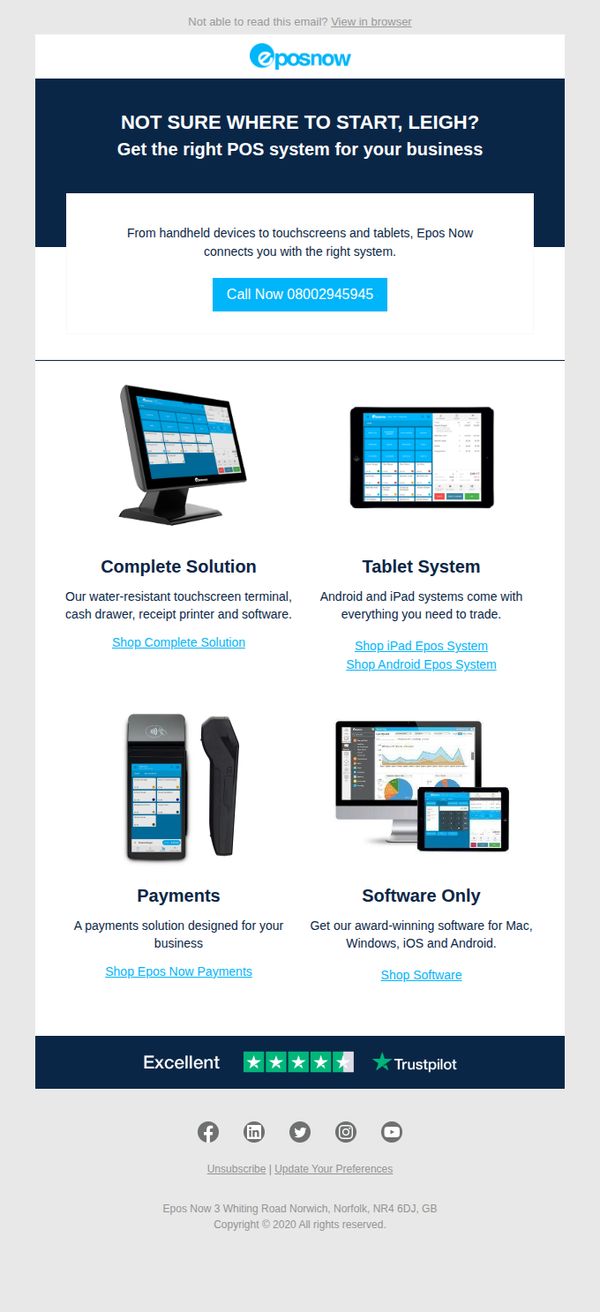
This email aims to guide a prospect named Leigh toward selecting the right POS system by showcasing Epos Now’s tailored solutions, while encouraging immediate contact through a prominent phone CTA to accelerate sales conversion.
Why this works
Personalizing the subject line and opening with the recipient’s name immediately creates relevance, making the prospect feel seen and more likely to engage with the tailored POS solutions presented.
How to implement
Breaking down complex offerings into four clearly labeled product categories with supporting visuals and direct CTAs reduces decision fatigue and guides users effortlessly toward their ideal system configuration.
Pro Tip
Add a short, benefit-driven subheading under each product tile (e.g., 'Boost efficiency with all-in-one hardware') to clarify value faster and reduce reliance on users clicking through to understand the offering. • Replace the generic 'Call Now' CTA with a benefit-oriented version like 'Get Your Free POS Consultation' to better align with the email’s educational tone and reduce perceived pressure while increasing conversion intent.
6. Apptega: The next Apptega launch is almost here
Objective
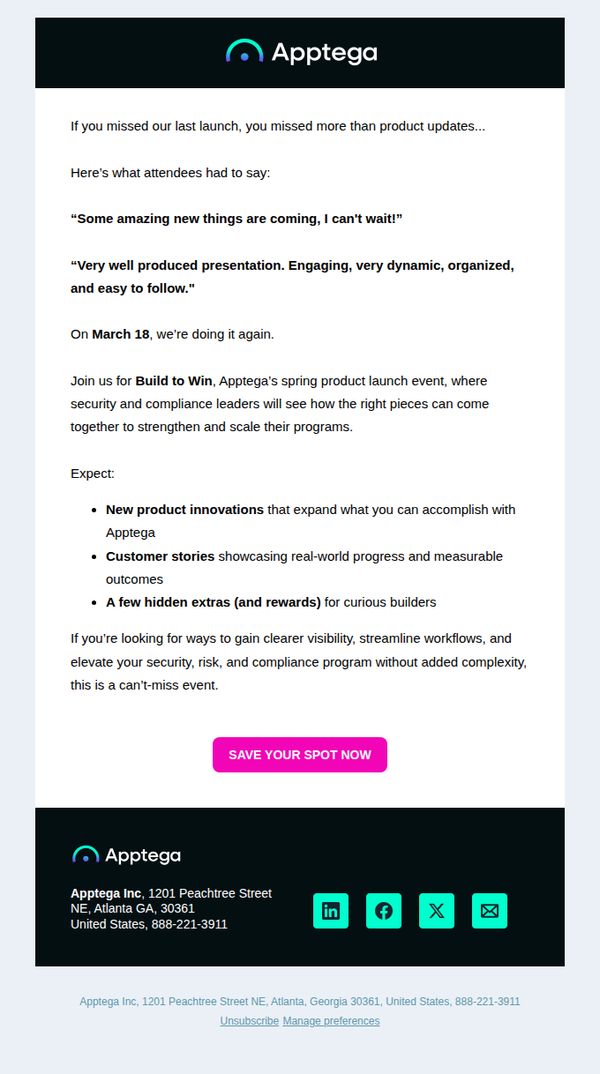
This email aims to re-engage prospects who missed the previous Apptega product launch by highlighting attendee enthusiasm and teasing exclusive new features, while driving registrations for the upcoming 'Build to Win' event on March 18.
Why this works
The email smartly leverages social proof by quoting real attendee reactions to build credibility and FOMO, making the upcoming event feel like a must-attend industry moment rather than just another product update.
How to implement
By framing the launch as 'Build to Win' and promising 'hidden extras and rewards,' the campaign transforms a standard product reveal into an experiential, gamified event that appeals to builders and innovators emotionally and strategically.
Pro Tip
Add a countdown timer above the CTA to create urgency and reinforce the March 18 date visually, since the current layout relies solely on text to convey time sensitivity, which may not trigger immediate action. • Include a brief speaker or customer logo grid under the 'Expect' section to visually validate the 'customer stories' and 'security leaders' claims, which would strengthen trust and reduce perceived risk for hesitant registrants.
7. Webroot: 🛒 Oops! Need assistance with completing your order?
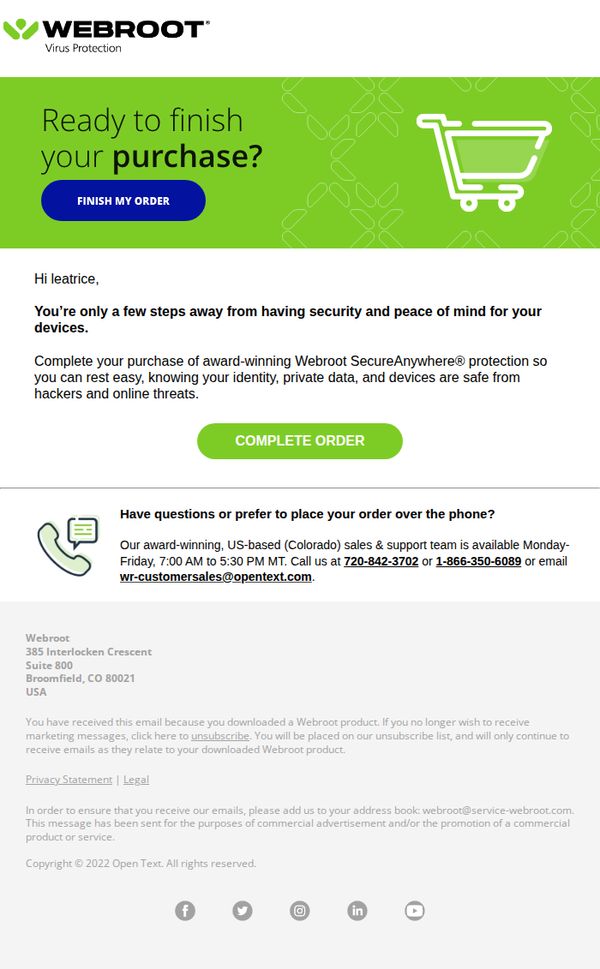
Objective
This email aims to recover an abandoned cart by reminding the recipient they’re close to securing Webroot’s security protection and encouraging them to complete their purchase with urgency and reassurance. It also offers phone support to reduce friction for hesitant buyers.
Why this works
The email frames cart abandonment not as a failure but as an opportunity, using encouraging language like 'You’re only a few steps away' to reduce buyer hesitation and reframe completion as a positive, protective action.
How to implement
By highlighting 'award-winning Webroot SecureAnywhere® protection' and linking it to peace of mind, the email taps into emotional security triggers rather than just features, making the value proposition more compelling and human-centered.
Pro Tip
Add a subtle countdown timer or urgency indicator near the CTA to reinforce time-sensitive value, since the current message lacks any temporal pressure that could nudge immediate action. • Include a small visual cue or icon next to the phone numbers (like a headset or live chat bubble) to make support options more scannable and reduce cognitive load for users seeking quick help.
8. Webroot: 🛒 Still need assistance with completing your order?
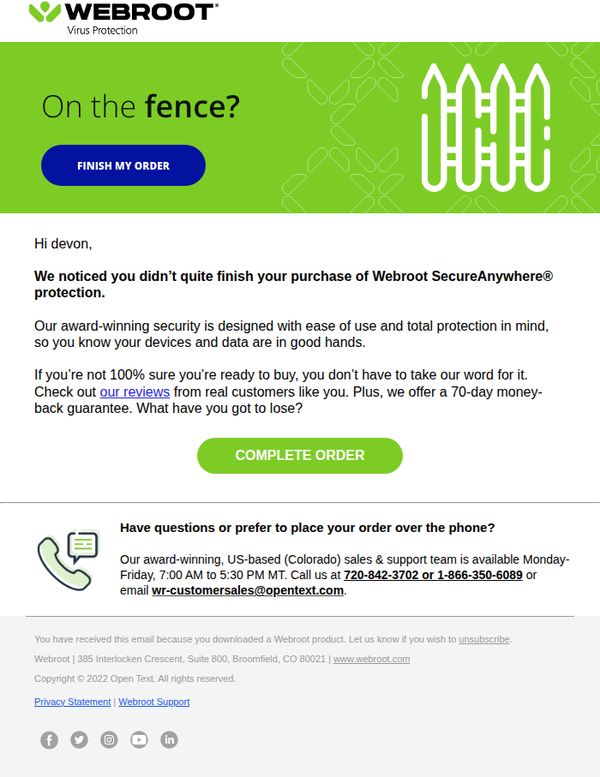
Objective
This email aims to recover an abandoned cart by reminding the recipient they haven’t completed their purchase of Webroot SecureAnywhere® protection, while reassuring them with social proof and a risk-free guarantee to encourage conversion.
Why this works
The email opens with a conversational, low-pressure question, 'On the fence?', which disarms hesitation and invites engagement rather than guilt-tripping the user, making it more likely they’ll continue reading.
How to implement
By highlighting real customer reviews and a 70-day money-back guarantee, the email reduces perceived risk and builds trust, turning uncertainty into confidence without overwhelming the reader with technical jargon.
Pro Tip
Add a visual progress indicator or mini-cart preview near the CTA to remind the user what they’re about to complete, reducing friction by reinforcing context and reducing the chance they’ll abandon again. • Reposition the 'COMPLETE ORDER' CTA higher in the email or duplicate it below the support contact info, since the current placement may be missed by users who scroll past the initial section without engaging.
9. Meltwater : 🏃How Strava Won Over LLMs (and What Brands Can Learn)

Objective
This email aims to position Meltwater as a thought leader in AI-driven brand intelligence by showcasing how Strava dominated LLM recommendations for fitness apps, while educating marketers on how to leverage GenAI Lens to monitor and optimize their own brand visibility in AI-generated content.
Why this works
Meltwater brilliantly uses real-world brand performance data, like Strava’s 77% visibility score, to demonstrate the tangible value of their GenAI Lens tool, turning abstract AI insights into concrete, competitive marketing intelligence that resonates with data-driven decision-makers.
How to implement
By breaking down LLM recommendations across multiple models and user intents, such as ‘strength’ versus ‘equipment’, the email teaches marketers how to tailor messaging to specific audience needs, proving that AI isn’t just about volume but about precision targeting and contextual relevance.
Pro Tip
Add a visual progress bar or heatmap under the 'How Brands Show Up in LLMs' section to intuitively convey Strava’s dominance over competitors, making the data more digestible and emotionally compelling at a glance. • Reposition the primary CTA 'Get your very own test drive' higher in the email, perhaps after the first key takeaway, to capture interest while readers are most engaged, rather than burying it at the bottom after dense analysis.
10. TodayTix: 🎟️ Bay Area Theatre Week: $25 tickets
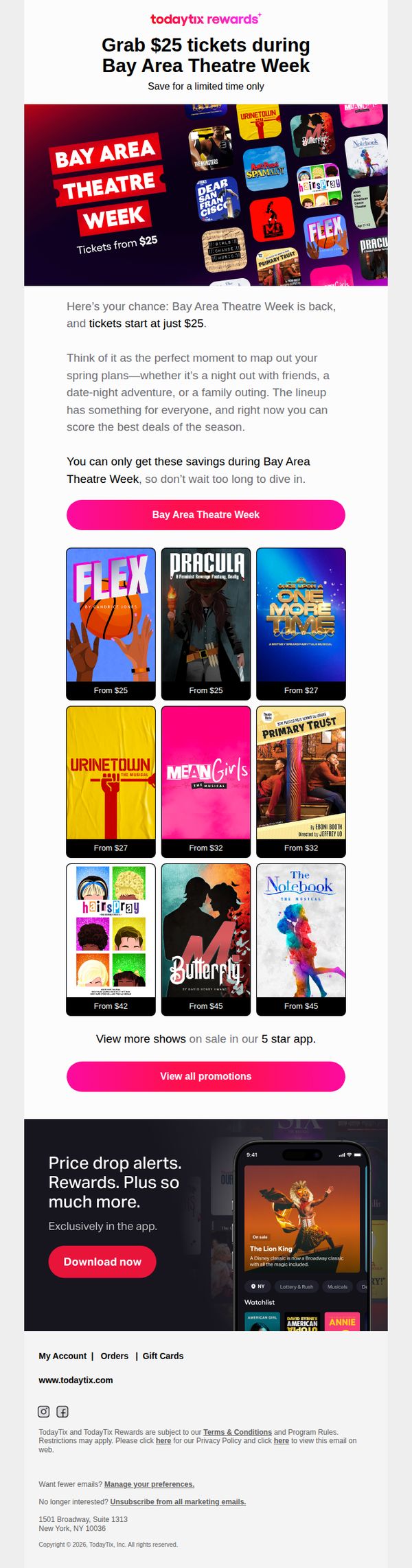
Objective
This email aims to drive immediate ticket sales for Bay Area Theatre Week by highlighting limited-time $25 deals across popular shows, encouraging users to act fast before prices increase. It also promotes app engagement by showcasing exclusive features like price drop alerts and rewards.
Why this works
The email brilliantly frames the promotion as a time-sensitive cultural event, Bay Area Theatre Week, rather than just a discount, which elevates perceived value and taps into local pride and FOMO to drive urgency without sounding salesy.
How to implement
By showcasing a visually rich grid of top-tier shows with clear pricing tiers, the email reduces decision fatigue and lets users self-select based on genre or budget, making the browsing experience feel personalized even in a mass campaign.
Pro Tip
Add a countdown timer near the hero section to visually reinforce the urgency of the limited-time offer, which would increase conversion by making the time constraint more tangible and emotionally compelling. • Include a short testimonial or star rating from a recent attendee beneath one or two top shows in the product grid to build social proof and reduce perceived risk for first-time buyers.