Sales welcome email examples & ideas
1. Aircall : Welcome to Aircall! Allow us to introduce ourselves
Objective
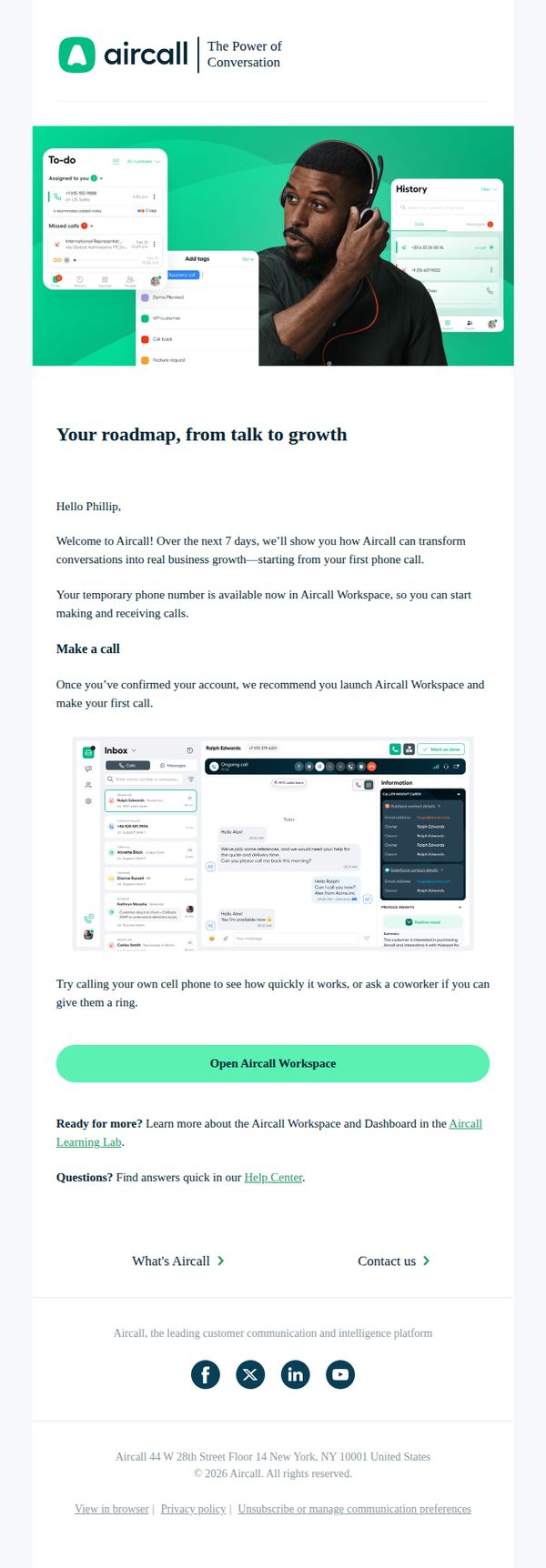
This email aims to warmly welcome new users to Aircall by guiding them through their first steps, encouraging immediate product engagement, and positioning the platform as a growth-enabling communication tool from day one.
Why this works
The email opens with a personalized greeting and a clear 7-day onboarding promise, which reduces new-user anxiety by setting predictable expectations and framing the platform as a growth partner from the very first interaction.
How to implement
Including a visual mockup of the Aircall interface directly beneath the call-to-action helps users mentally rehearse the next step, bridging the gap between instruction and action by showing exactly what they’ll see when they click.
Pro Tip
Add a subtle progress indicator or checklist (e.g., 'Step 1 of 7: Make Your First Call') to reinforce the 7-day roadmap and motivate users to complete onboarding milestones. • Include a short testimonial or social proof near the CTA, such as '92% of new users make their first call within 24 hours', to reduce hesitation and normalize immediate action.
2. Square: Build lasting relationships with your customers
Objective
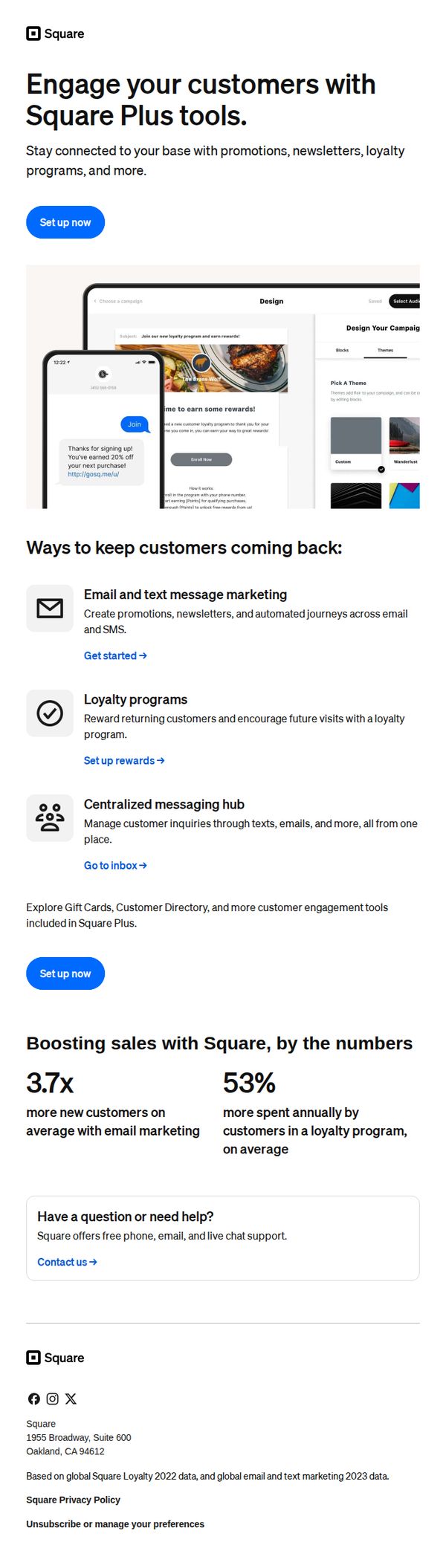
This email aims to encourage existing Square users to upgrade to Square Plus by showcasing tools that help build customer loyalty and drive repeat business through email, SMS, and rewards programs. It positions Square Plus as essential for growing revenue and deepening customer relationships.
Why this works
The email smartly frames customer retention as a growth lever by tying Square Plus features directly to measurable outcomes like 3.7x more new customers and 53% higher annual spend, making the ROI instantly tangible for small business owners.
How to implement
By visually embedding a mobile mockup of a real loyalty message in the hero section, the email creates immediate context and emotional resonance, helping users visualize how the tool works in their own business without needing to read lengthy explanations.
Pro Tip
Add a brief testimonial or case study snippet near the stats section to humanize the 3.7x and 53% claims, social proof would strengthen credibility and make the numbers feel more attainable for skeptical readers. • Include a small visual indicator (like a progress bar or badge) next to the 'Set up now' buttons to imply ease or speed of setup, reducing perceived friction for users who may hesitate due to time or complexity concerns.
3. Square: Welcome to Square Free
Objective
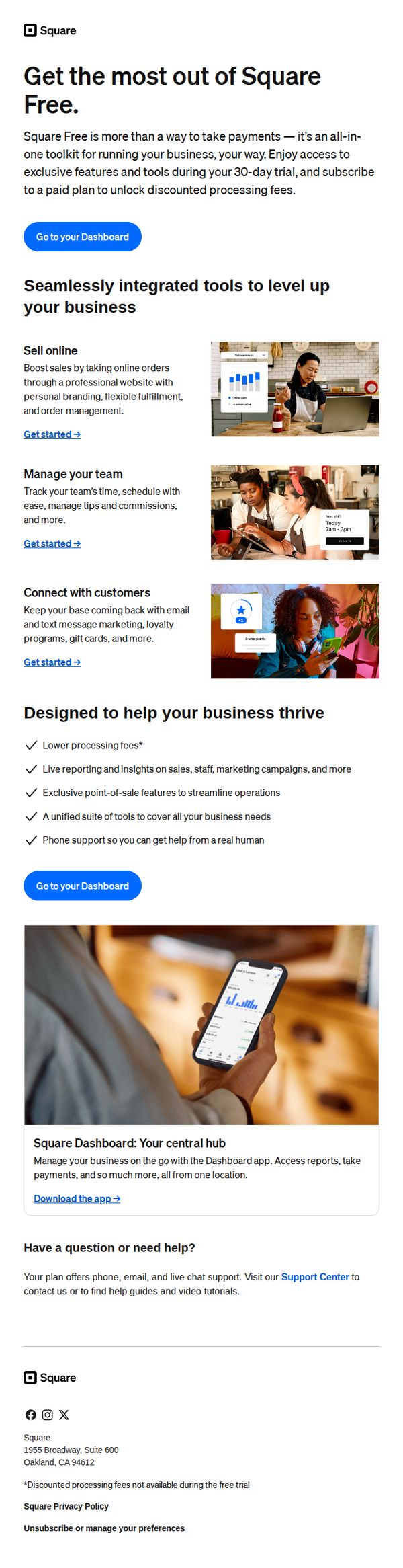
This email aims to onboard new Square Free users by showcasing the platform’s all-in-one business tools and encouraging immediate engagement through dashboard access, while subtly guiding them toward upgrading to a paid plan after the 30-day trial.
Why this works
The email positions Square Free not just as a payment tool but as a full business operating system, which reframes value perception and justifies future upsells by showing integrated capabilities from day one.
How to implement
Each feature is paired with a clear, action-oriented 'Get started' link and a relevant visual, reducing cognitive load and creating a frictionless path for users to explore tools without feeling overwhelmed.
Pro Tip
Add a subtle countdown timer near the CTA to emphasize the 30-day trial window, creating urgency without being pushy, this would leverage scarcity psychology to nudge users toward exploring paid features sooner. • Include a short testimonial or social proof snippet near the 'Designed to help your business thrive' section to build trust and validate claims about lower fees and live support, especially for users skeptical of free-tier limitations.
4. Klaviyo: Turn visitors into subscribers with on-site forms
Objective
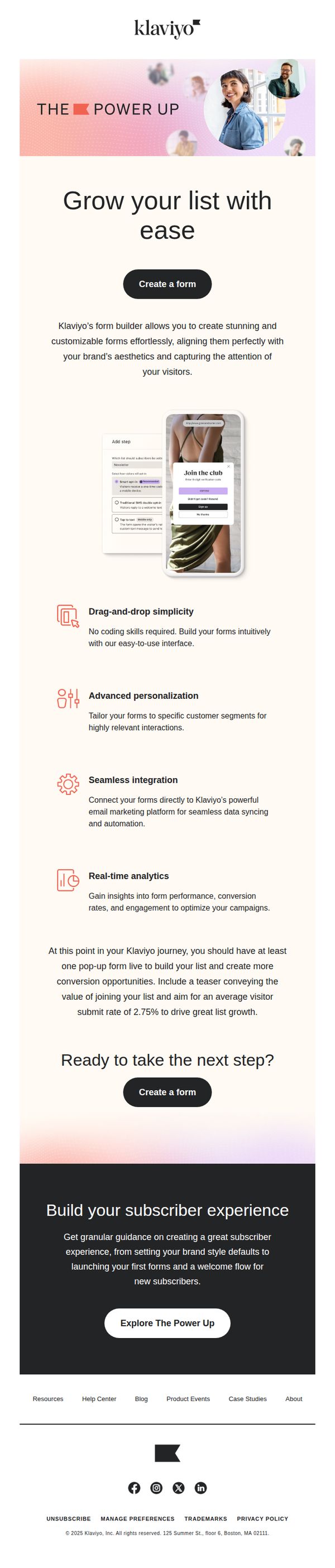
This email aims to guide Klaviyo users toward creating on-site forms to convert website visitors into subscribers, emphasizing ease of use, personalization, and integration with their existing marketing platform to drive list growth.
Why this works
The email brilliantly frames form creation as effortless and visually aligned with brand identity, reducing perceived friction for users who might otherwise delay implementation due to design or technical concerns.
How to implement
By highlighting drag-and-drop simplicity, advanced personalization, and real-time analytics in digestible bullet points, the email transforms a technical feature into a compelling growth lever that speaks directly to marketer priorities.
Pro Tip
Add a visual progress bar or checklist near the 'Ready to take the next step?' section to show users how close they are to launching their first form, increasing urgency and reducing decision paralysis. • Include a short testimonial or case study snippet from a brand that achieved significant list growth using Klaviyo’s forms, this would strengthen social proof and make the value proposition more tangible.
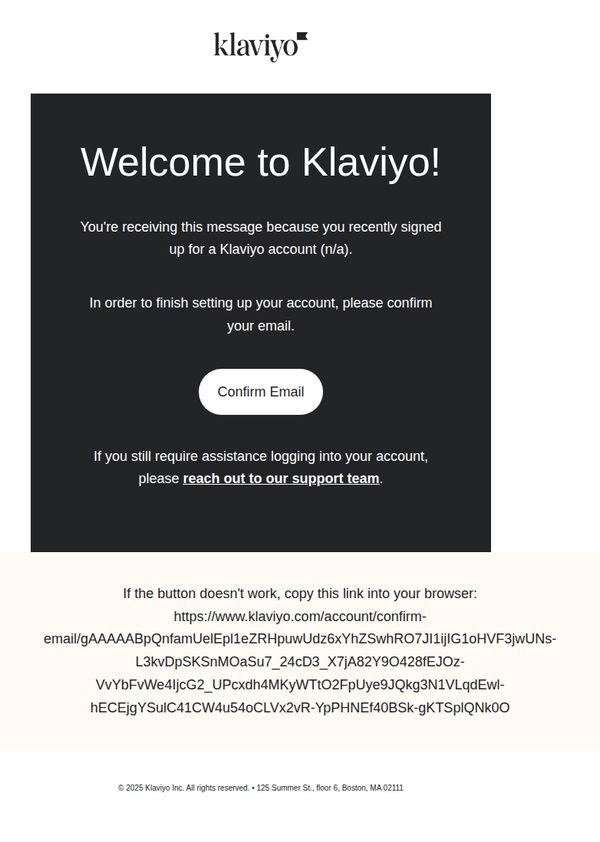
5. Klaviyo: Confirm your Klaviyo email
Objective
This email aims to verify the user’s email address to complete account setup, ensuring secure access while reinforcing brand trust through a clean, direct confirmation process.
Why this works
The email immediately establishes purpose with a bold, friendly welcome headline that reduces friction by explaining why the user is receiving it, a subtle but powerful trust-building move for new signups.
How to implement
Placing the primary CTA front and center with high contrast and minimal surrounding text ensures the user’s attention is laser-focused on the single action needed to proceed, reducing cognitive load and abandonment risk.
Pro Tip
Add a brief, reassuring sentence above the CTA explaining what happens after confirmation (e.g., 'Once confirmed, you’ll unlock your dashboard and start building campaigns in minutes') to reduce uncertainty and increase conversion. • Include a subtle visual cue, like a checkmark icon or progress bar, near the CTA to reinforce that this is a step in a larger onboarding journey, helping users feel guided rather than isolated in the process.
6. Klaviyo: Take a look inside—your growth tools are waiting
Objective
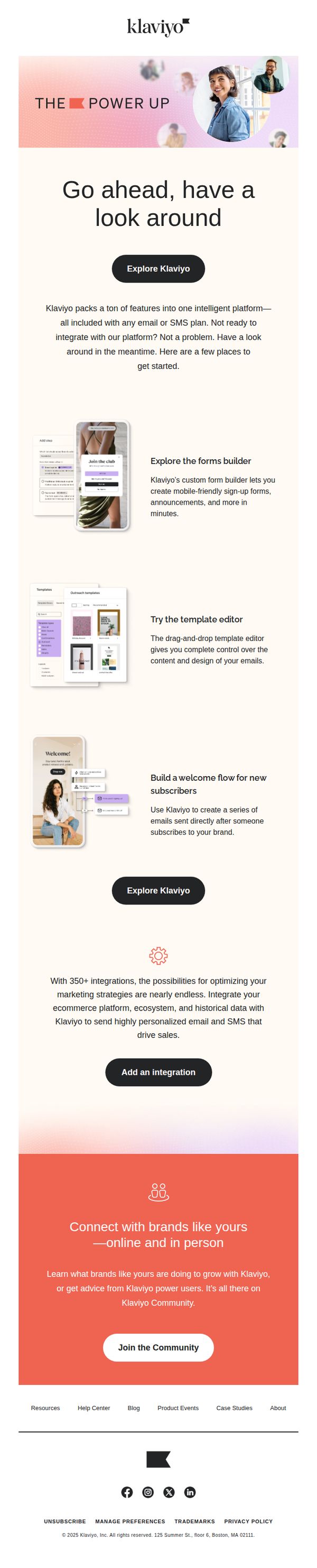
This email aims to onboard potential users by showcasing Klaviyo’s key features and integrations, encouraging exploration even before full platform adoption. It positions Klaviyo as an accessible, feature-rich growth tool for brands ready to optimize marketing with email and SMS.
Why this works
By inviting users to 'have a look around' without pressure to commit, Klaviyo lowers the barrier to entry and positions itself as a helpful, exploratory resource rather than a sales-driven platform, building trust through accessibility.
How to implement
The email strategically highlights three core tools, forms builder, template editor, and welcome flows, with concise, benefit-driven descriptions that immediately answer 'What’s in it for me?' and demonstrate tangible value without overwhelming the reader.
Pro Tip
Add a visual progress indicator or checklist (e.g., '3 Tools You Can Try in 5 Minutes') to guide users through the featured sections, creating a sense of momentum and reducing cognitive load during exploration. • Reposition the 'Add an integration' CTA to appear immediately after the integrations paragraph, rather than below it, to capitalize on the persuasive momentum of mentioning 350+ integrations and reduce scroll friction for high-intent users.
7. Odoo : Welcome to Odoo S.A.!
Objective
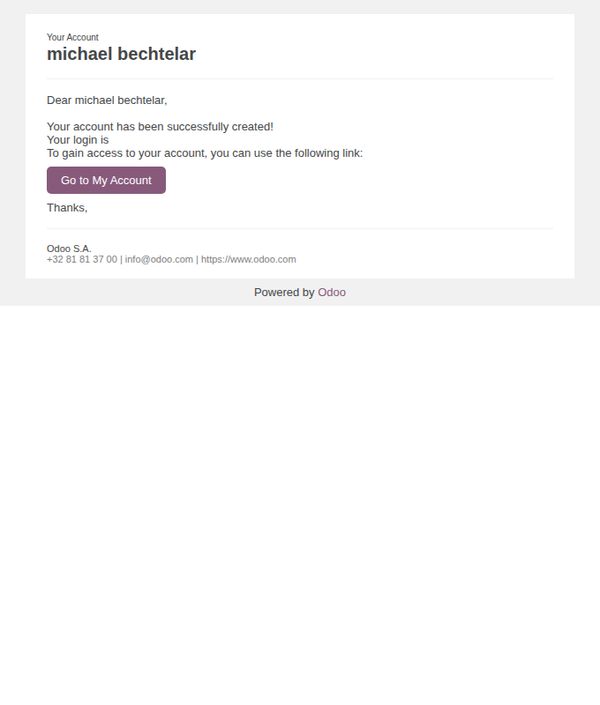
This email confirms the successful creation of a new user account and guides the recipient to log in and access their Odoo dashboard. It aims to reduce onboarding friction by providing immediate access and reinforcing brand trust through clear, minimal instructions.
Why this works
The email immediately reassures the user by confirming account creation success, which reduces anxiety and builds confidence in the platform’s reliability during the critical first interaction.
How to implement
By placing a single, prominent CTA button labeled 'Go to My Account,' the design eliminates decision fatigue and directs users to the next logical step without distraction or ambiguity.
Pro Tip
Add a brief onboarding tip or welcome video link after the CTA to guide new users through their first steps, increasing activation and reducing early drop-off. • Include a personalized subject line or dynamic greeting (e.g., 'Welcome, Michael!') to strengthen emotional connection and increase open-to-action conversion.
8. Klaviyo: Go with the (welcome series) flow
Objective
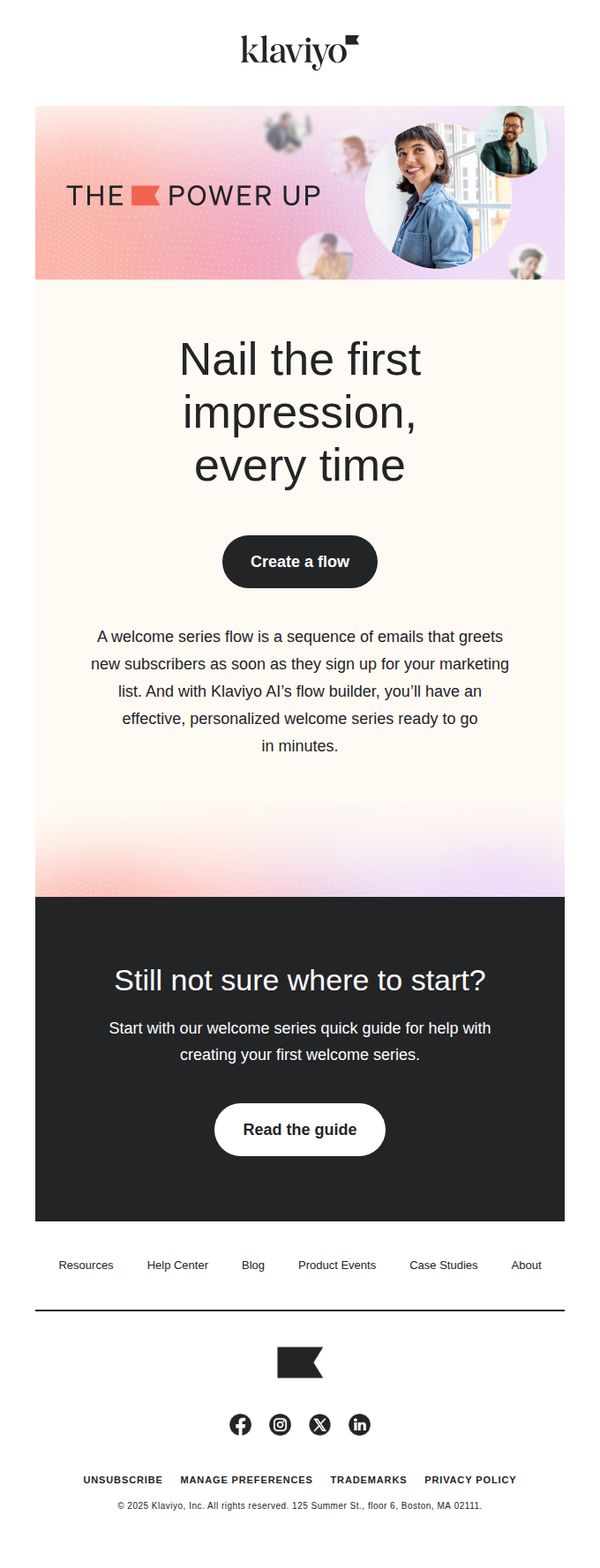
This email aims to guide new users toward creating their first welcome series flow using Klaviyo’s AI-powered builder, emphasizing speed, personalization, and ease of setup to convert curiosity into immediate action.
Why this works
The email immediately frames the welcome series as a critical first impression tool, tapping into the psychological urgency of onboarding while positioning Klaviyo as the effortless solution to get it right every time.
How to implement
By highlighting 'Klaviyo AI’s flow builder' as the enabler of fast, personalized welcome series, the message transforms a technical feature into a customer benefit, reducing friction and building confidence in automation for beginners.
Pro Tip
Add a visual mockup or short animated GIF of the flow builder interface in action to reduce abstraction, seeing the tool in use would make the 'ready in minutes' promise feel more tangible and trustworthy. • Include a micro-testimonial or stat like '92% of users launch their first flow within 15 minutes' near the primary CTA to reinforce social proof and urgency without adding clutter.
9. Chili Piper: You’re in, welcome to The Sauce!
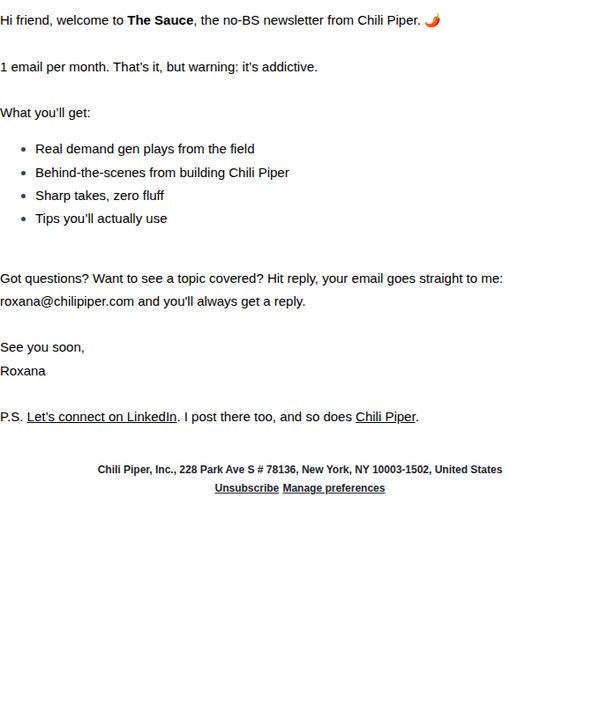
Objective
To warmly welcome new subscribers to Chili Piper’s newsletter, 'The Sauce,' by setting clear expectations for content and fostering immediate personal connection through direct reply access and social engagement.
Why this works
The email instantly builds trust by promising no fluff and real field-tested demand gen plays, positioning itself as a valuable, no-nonsense resource rather than just another promotional blast.
How to implement
Including a direct reply-to email address with a personal name and guarantee of response transforms a transactional welcome into a human conversation, increasing subscriber loyalty from day one.
Pro Tip
Add a visual hero banner or branded header image to reinforce brand identity and break up text-heavy content, making the email more scannable and memorable on first glance. • Include a secondary CTA button or link encouraging readers to follow Chili Piper on LinkedIn or another platform, rather than burying it in a P.S., to boost social engagement metrics.
10. Squarespace: Welcome to Squarespace
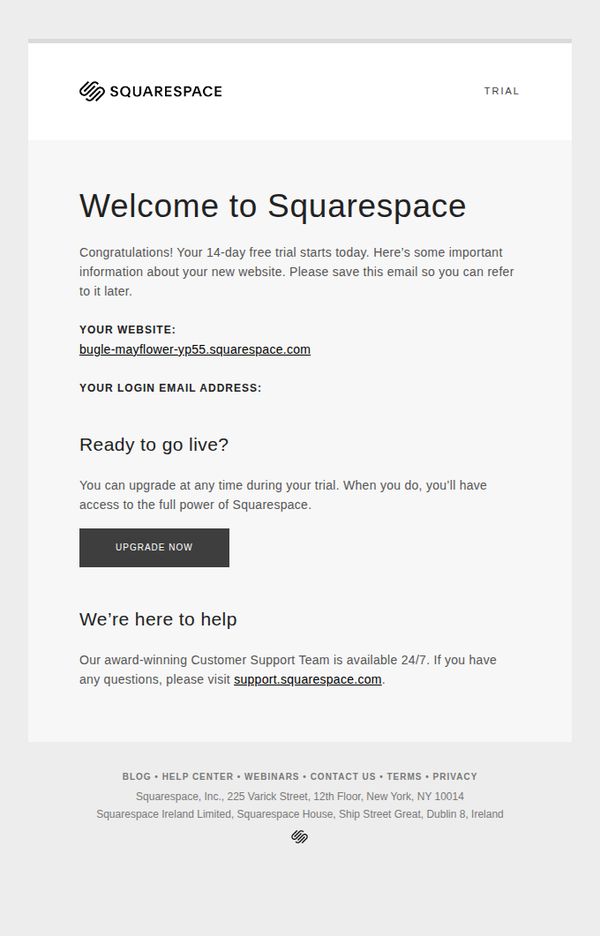
Objective
To welcome new users to Squarespace and guide them through the initial steps of their 14-day free trial, while encouraging early upgrade by highlighting access to full features and 24/7 support.
Why this works
The email immediately validates the user’s action by celebrating the start of their trial, which builds momentum and reduces early drop-off by framing the experience as a milestone rather than a setup task.
How to implement
By including the exact website URL and login email upfront, Squarespace eliminates friction and reduces support requests, turning what could be a confusing first step into a seamless, self-service experience.
Pro Tip
Add a secondary CTA like 'Explore Templates' or 'Start Building' below the main upgrade button to guide trial users who aren’t ready to pay but want to engage with the product immediately. • Include a brief visual or icon-driven checklist (e.g., 'Step 1: Pick a template → Step 2: Add your content → Step 3: Go live') to reduce overwhelm and provide a clear path forward during the trial.