The complete Instahyre email collection
1. Confirm your career preferences - action required!
Objective
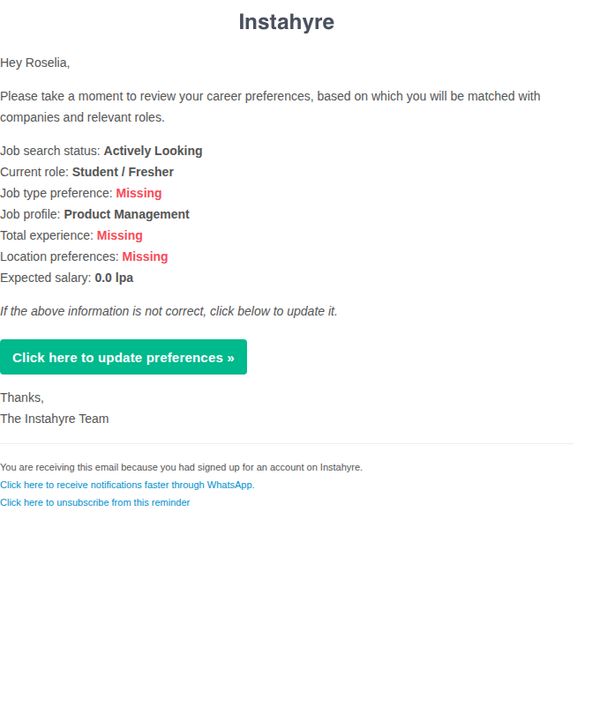
This email aims to prompt the user to update their incomplete career preferences so they can be accurately matched with relevant job opportunities. It emphasizes urgency by highlighting missing fields and positions the action as essential for effective job matching.
Why this works
The email creates immediate relevance by personalizing the message with the recipient’s name and current status, making the request feel tailored and urgent rather than generic or automated.
How to implement
By clearly labeling missing fields in red and pairing them with a single, prominent CTA, the email reduces cognitive load and guides the user toward one clear next step without distraction.
Pro Tip
Add a brief explanation or tooltip next to each 'Missing' field to clarify what kind of input is expected, for example, 'Select your preferred job type: Full-time, Internship, Contract', to reduce friction and increase completion rates. • Include a subtle urgency element like 'Complete your profile in 2 minutes to unlock 15+ matches this week' to motivate action by linking the update to tangible, immediate benefits.
2. Confirm your career preferences - action required!
Objective
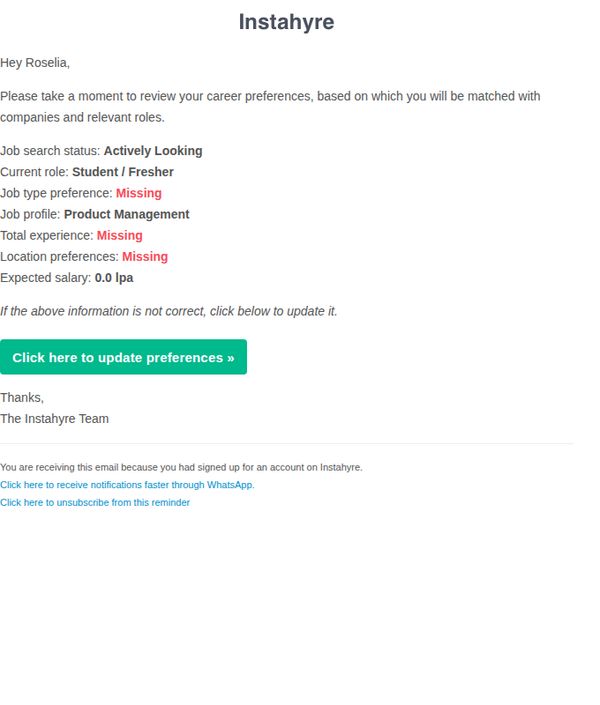
This email aims to prompt the user to update their incomplete career preferences so they can be accurately matched with relevant job opportunities on the Instahyre platform. It creates urgency by highlighting missing data that blocks effective job matching.
Why this works
The email effectively uses personalized data gaps, like 'Missing' job type and location preferences, to create a sense of incompleteness that motivates immediate action, turning passive users into active profile updaters.
How to implement
By framing the update as essential for better job matching rather than just a formality, the message aligns user self-interest with platform functionality, making the CTA feel like a career accelerator, not a chore.
Pro Tip
Add a progress indicator or visual cue (e.g., 'Your profile is 40% complete') to quantify the benefit of updating preferences, making the action feel more rewarding and less abstract. • Reposition the unsubscribe link to the very bottom of the footer and reduce its visual prominence to avoid distracting from the primary CTA, which is critical for user retention and profile completion.
3. Confirm your career preferences - action required!
Objective
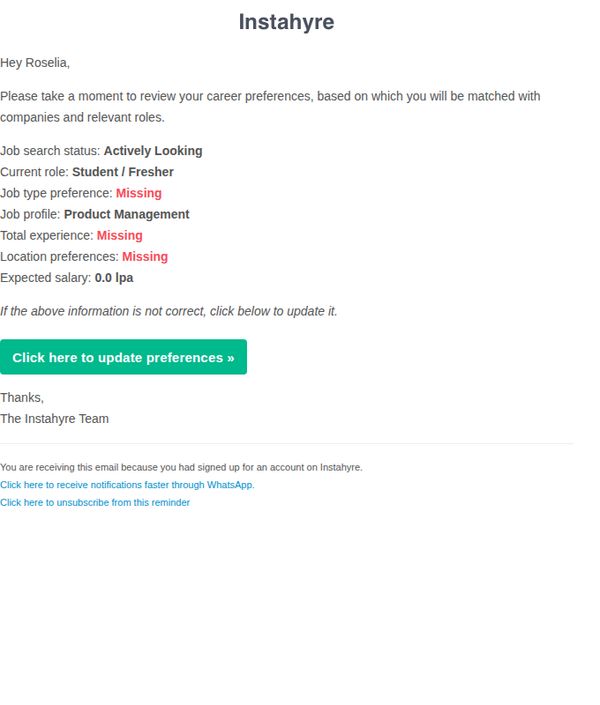
This email aims to prompt the user to update their incomplete career preferences so they can be accurately matched with relevant job opportunities. It emphasizes urgency by highlighting missing fields and positions the action as essential for effective job matching.
Why this works
The email creates immediate relevance by personalizing the message with the user’s name and current status, making the request feel tailored and urgent rather than generic or automated.
How to implement
By clearly flagging missing fields in red and pairing them with a strong, action-oriented CTA button, the email reduces friction and guides the user intuitively toward completing the critical task without confusion.
Pro Tip
Add a brief explanation of how updated preferences directly impact job matching quality, for example, 'Complete your profile to unlock 3x more relevant opportunities', to strengthen motivation beyond just filling gaps. • Reposition the CTA button closer to the top of the email or repeat it after the list of missing fields to reduce scrolling and ensure the primary action is visible without requiring user effort.