Qonto email gallery from real brands
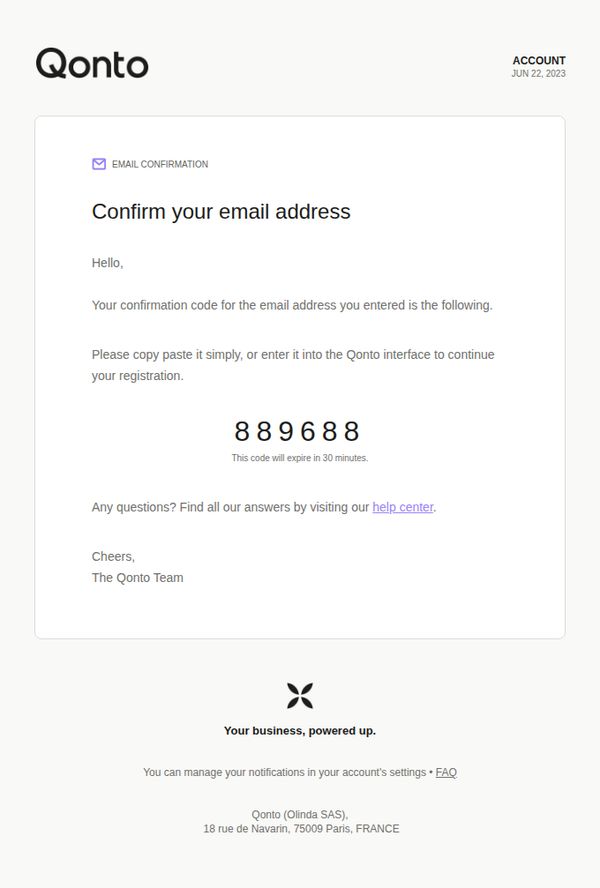
1. Enter 889688 as Qonto confirmation code
Objective
This email aims to verify the user’s email address during account registration by delivering a time-sensitive confirmation code, ensuring secure onboarding while guiding the user to complete setup within the Qonto platform.
Why this works
The email delivers a clear, single-purpose message by centering the confirmation code visually and verbally, reducing cognitive load and ensuring users know exactly what action to take without distraction.
How to implement
By explicitly stating the code expires in 30 minutes, the email creates gentle urgency that encourages immediate action while still maintaining a calm, professional tone appropriate for financial services.
Pro Tip
Add a visual countdown timer or bold expiration notice near the code to reinforce urgency without relying solely on text, improving conversion for users who skim emails quickly. • Include a secondary CTA button labeled 'Go to Qonto Dashboard' that links directly to the login or registration page, reducing friction for users who may not remember where to enter the code.
2. Your Qonto sign-in details
Objective
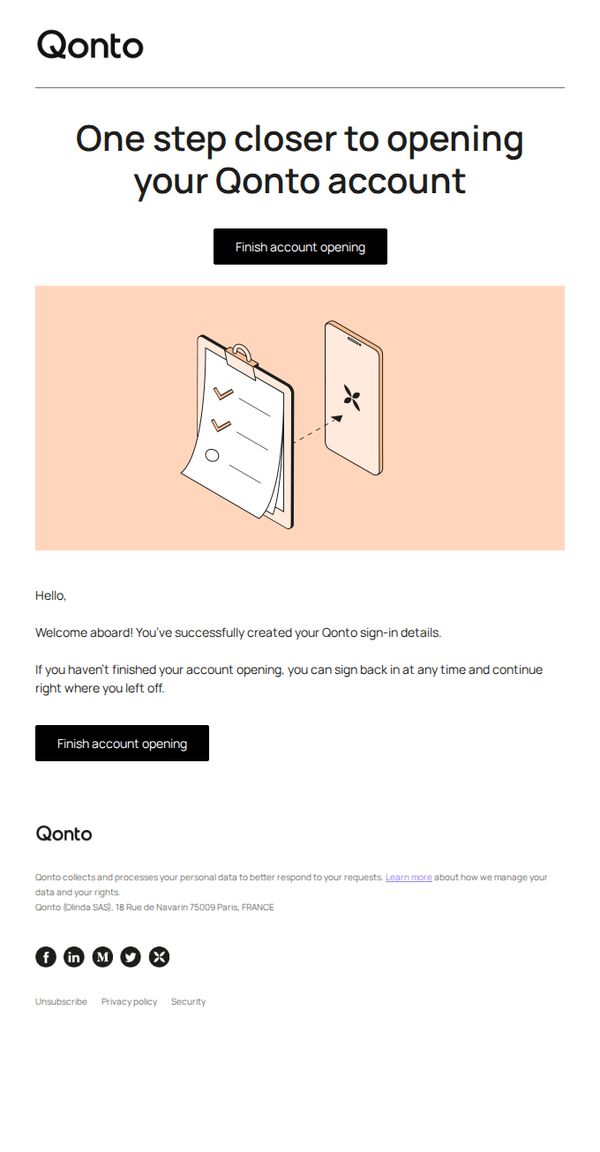
This email aims to guide new users to complete their Qonto account setup by reminding them they’ve successfully created sign-in credentials and encouraging immediate action to finalize onboarding.
Why this works
The email brilliantly reduces friction by confirming users have already succeeded in creating sign-in details, which builds confidence and lowers abandonment by framing next steps as continuation rather than restart.
How to implement
By repeating the primary CTA twice, once visually prominent above the illustration and again after the welcome message, the design ensures users never lose sight of the desired action, even if they skim.
Pro Tip
Add a subtle countdown timer or progress bar near the CTA to gently nudge users toward completion, leveraging urgency without being pushy, especially since this is a critical onboarding step. • Include a brief bullet-point list of what’s left to complete (e.g., verify identity, link bank account) to reduce ambiguity and increase perceived control, helping users mentally commit to finishing the process.
3. Sign-in to Qonto from a new device
Objective
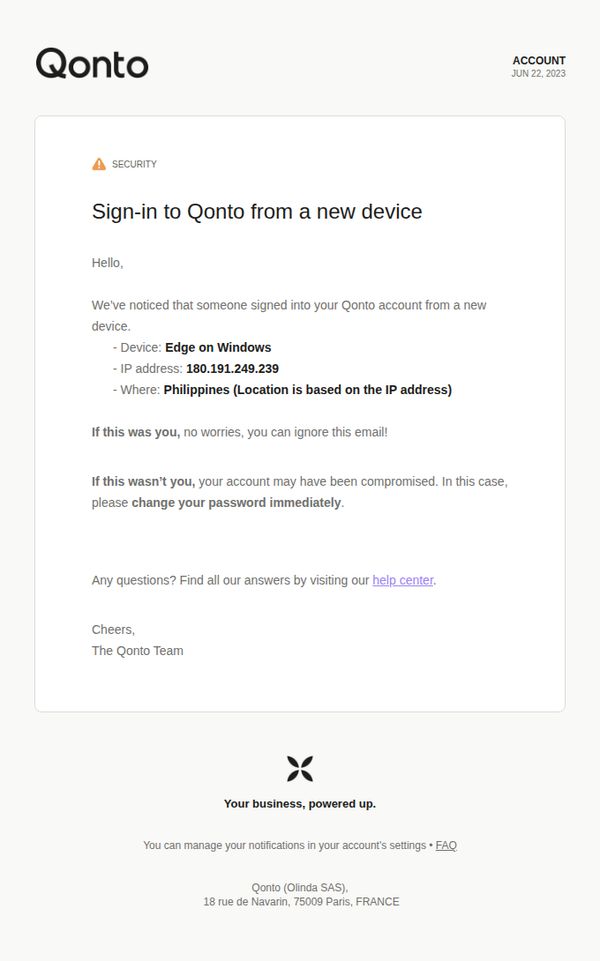
To alert the user of a potential security issue by notifying them of a new device login and guiding them to take action if the activity was unauthorized, thereby protecting their account.
Why this works
The email immediately establishes urgency and context by leading with a clear security alert, helping users quickly assess whether the activity was legitimate or suspicious without scrolling.
How to implement
By specifying the device, IP address, and approximate location, the message builds credibility and empowers users to make informed decisions rather than reacting out of fear or confusion.
Pro Tip
Add a direct, clickable 'Change Password' button next to the text link to reduce friction and increase the likelihood of immediate action from users who suspect compromise. • Include a brief, reassuring sentence like 'We’ve temporarily restricted access from this device until you confirm it’s yours' to reinforce proactive security measures and reduce user anxiety.
4. Your credentials have been created ✅
Objective
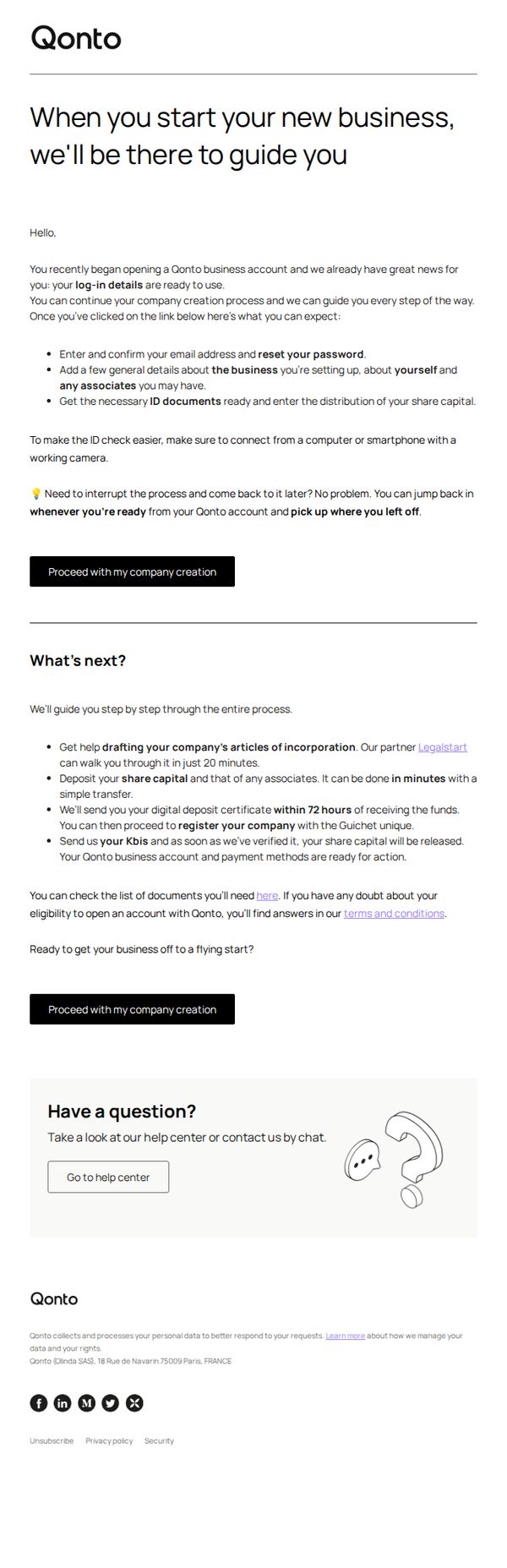
This email aims to reassure new users that their Qonto business account setup is underway and guide them through the next critical steps, reducing friction by clearly outlining what to expect and offering flexible re-entry points to complete onboarding at their own pace.
Why this works
The email opens with a warm, reassuring tone that positions Qonto as a supportive partner from day one, which builds trust and reduces anxiety for users navigating complex business setup processes.
How to implement
By breaking down next steps into clear, time-bound actions, like drafting articles of incorporation in 20 minutes or receiving a digital deposit certificate within 72 hours, the email makes onboarding feel manageable and predictable.
Pro Tip
Add a visual progress bar or checklist under 'What’s next?' to help users track completion status, increasing motivation and reducing cognitive load during onboarding. • Include a brief testimonial or social proof near the CTA from a similar business owner who successfully completed onboarding, to reinforce credibility and reduce perceived risk.